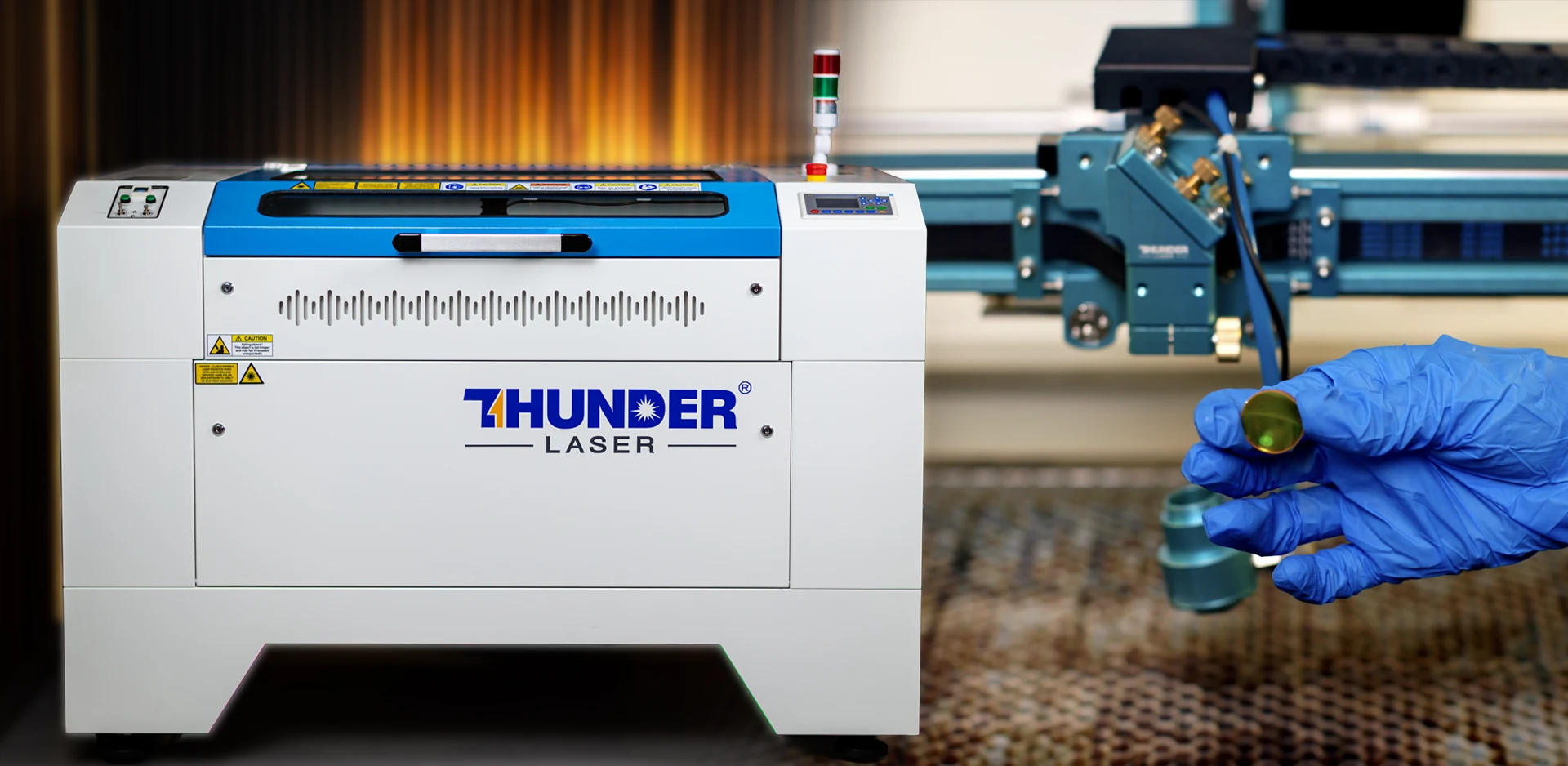
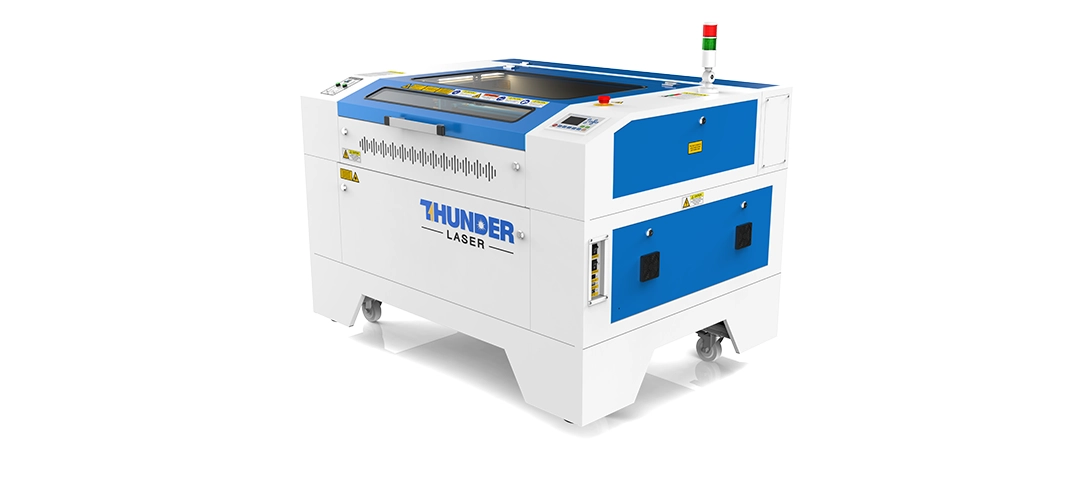
4 Laser Engraving Machine Maintenance Tips Every Operator Should Know

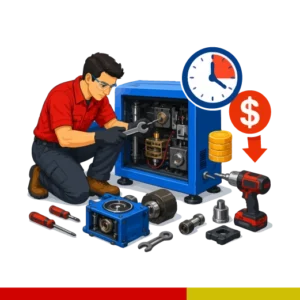
Our laser machine maintenance guide mentioned below improves engraving & cutting quality, extends machine life, reduces downtime, and helps prevent costly production problems. This guide covers the maintenance procedures, cleaning schedules, troubleshooting steps, and professional tips used by successful laser businesses.

Watch how proper machine cleaning, airflow maintenance, optics inspection, and extraction servicing can dramatically improve engraving quality, reduce smoke contamination, and help maintain cleaner, sharper engraving results.
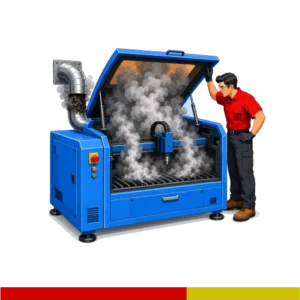
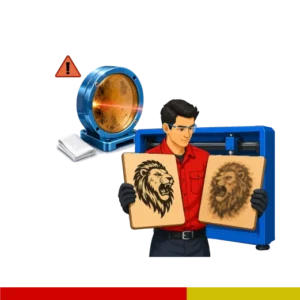
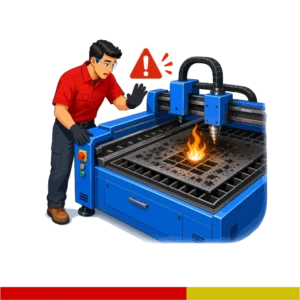
Common Problems Caused By Poor Maintenance:

Laser Machine Maintenance Guide: Keep It Running Like New

Cleaning Dust, Smoke & Debris Build-Up

Smoke residue and fine dust particles settle throughout the machine during production. Over time, this buildup can contaminate rails, bearings, optics, belts, extraction systems, and internal machine surfaces.

Using a soft brush together with a vacuum cleaner is one of the safest ways to remove debris from inside the machine. Brushing dust loose while vacuuming helps prevent contamination from spreading deeper into the motion system.

Particular attention should be given to:

  • corners of the machine
  • around bearings
  • rail systems
  • extraction vents
  • crumb trays
  • cable belt areas
  • underneath the work bed

Avoid allowing thick soot buildup to remain inside the machine for extended periods, especially when engraving & cutting different types of wood, leather and acrylic.

Cleaning the Crumb Tray & Interior

The crumb tray and interior sections of the machine should also be cleaned regularly.

Material offcuts, acrylic debris, MDF dust, soot, and smoke residue can all accumulate underneath the working area during production. If left uncleaned for long periods:

  • airflow may become restricted
  • smoke buildup increases
  • debris may become a fire risk
  • extraction efficiency decreases

Vacuuming the machine interior regularly helps maintain cleaner airflow and reduces excessive contamination throughout the machine.

cleaning the crumb tray and interior of a laser engraving machine

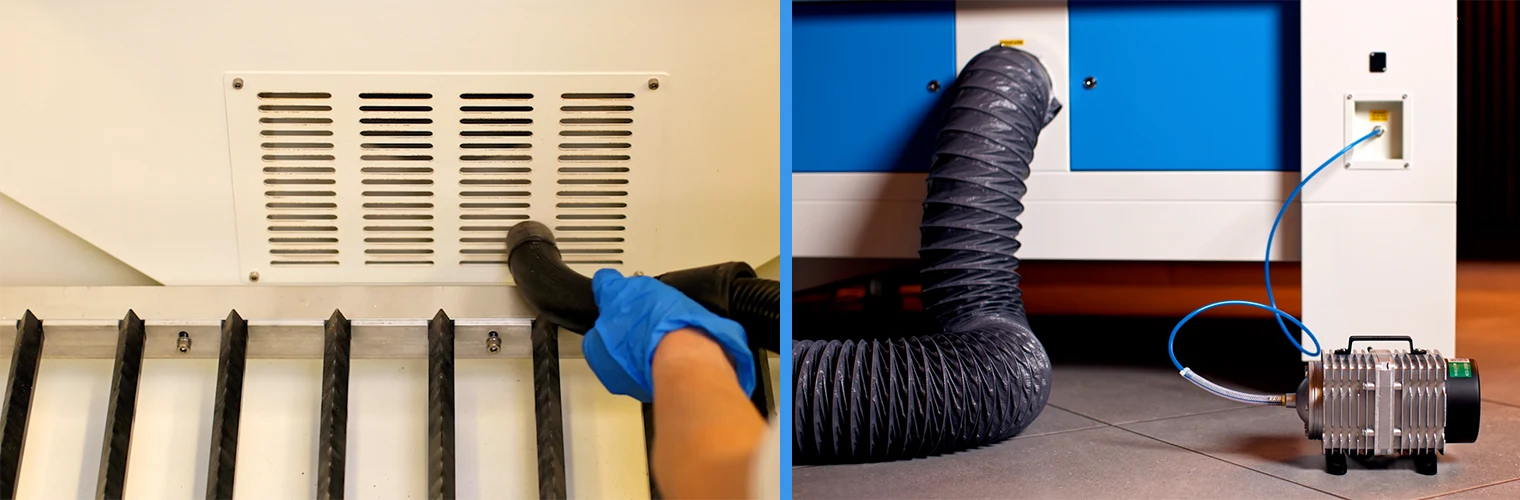
Maintaining Extraction Ports & Ducting

Extraction systems are one of the most overlooked parts of laser machine maintenance.

Even when the extraction fan is still operating, airflow may become heavily restricted because soot and debris gradually build up inside:

  • extraction piping
  • bends in the ducting
  • rear extraction ports
  • vent connections

Restricted extraction performance causes:

  • smoke to remain inside the machine
  • increased soot contamination
  • engraving haze
  • stronger smells
  • poor acrylic cutting performance
  • excessive burn marks

Inspecting and cleaning extraction piping regularly helps maintain proper airflow and cleaner engraving results.
In many cases, users focus only on external filters while the actual restriction may be deeper inside the extraction system itself.

cleaning laser machine extraction ports and ducting to maintain airflow
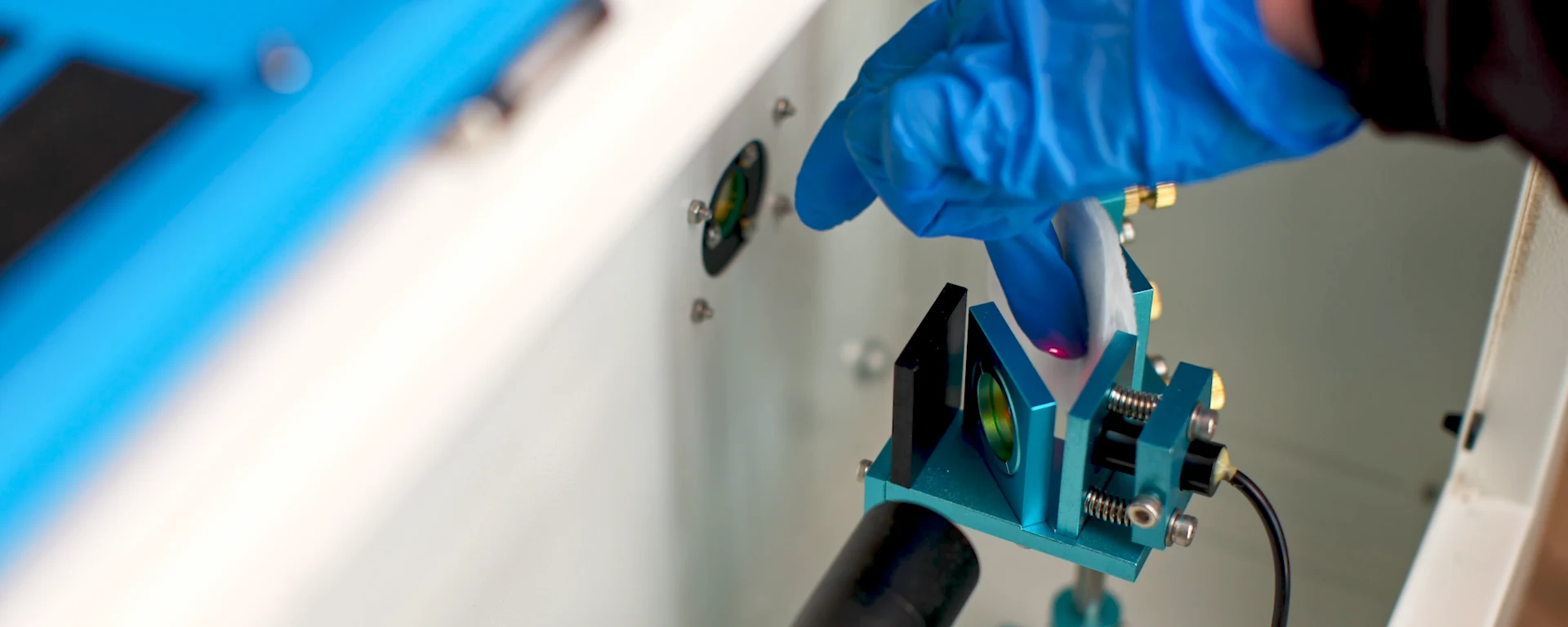
laser mirror cleaning to maintain engraving quality and beam performance

Clean Focus Lens & Mirrors Safely

Clean optics are one of the most important factors in maintaining sharp engraving quality, clean cutting performance, and stable beam consistency.

Even small amounts of smoke residue or contamination on the mirrors and focus lens can affect:

  • engraving sharpness
  • beam quality
  • cutting consistency
  • edge cleanliness
  • engraving contrast
  • production reliability

Laser engraving & cutting machines operating on MDF, wood, acrylic, leather, and signage environments produce large amounts of smoke and fine airborne particles during production. Over time, this contamination settles onto the optics and gradually reduces laser performance.

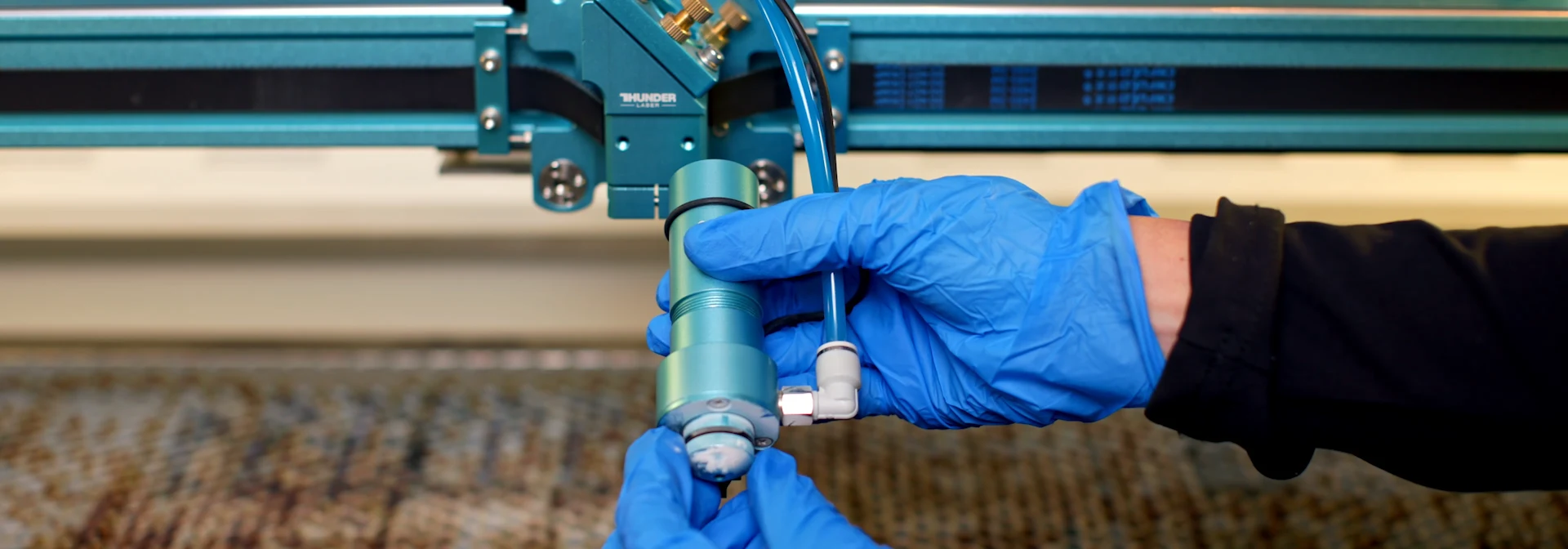
Inspect The Laser Head Nozzle

The laser head nozzle plays an important role in directing air assist onto the material surface during engraving and cutting.
 
During production, smoke, MDF dust, acrylic residue, soot, and airborne particles can gradually build up around the nozzle opening. If this residue is not removed regularly, airflow becomes restricted and engraving quality can begin to deteriorate.
 
A dirty nozzle can contribute to:
  • excessive smoke around the engraving area
  • increased burn marks
  • poor edge quality
  • inconsistent engraving results
  • reduced cutting performance
  • flare-ups and small flames during production
The nozzle works together with the air assist system to remove smoke and debris from the laser beam path. When the nozzle becomes contaminated, airflow is no longer directed efficiently at the material surface.
This can allow smoke to remain in the engraving area for longer, increasing heat build-up and reducing engraving consistency.
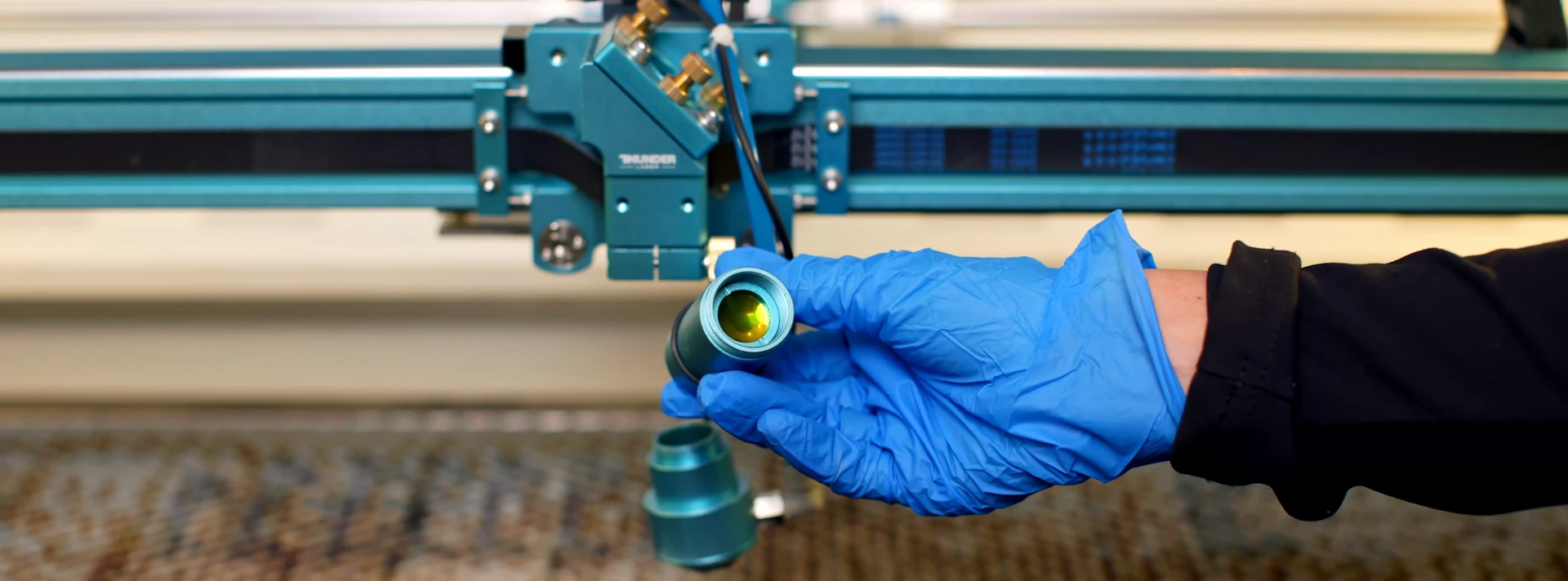
removing the laser nozzle assembly for focus lens inspection and cleaning

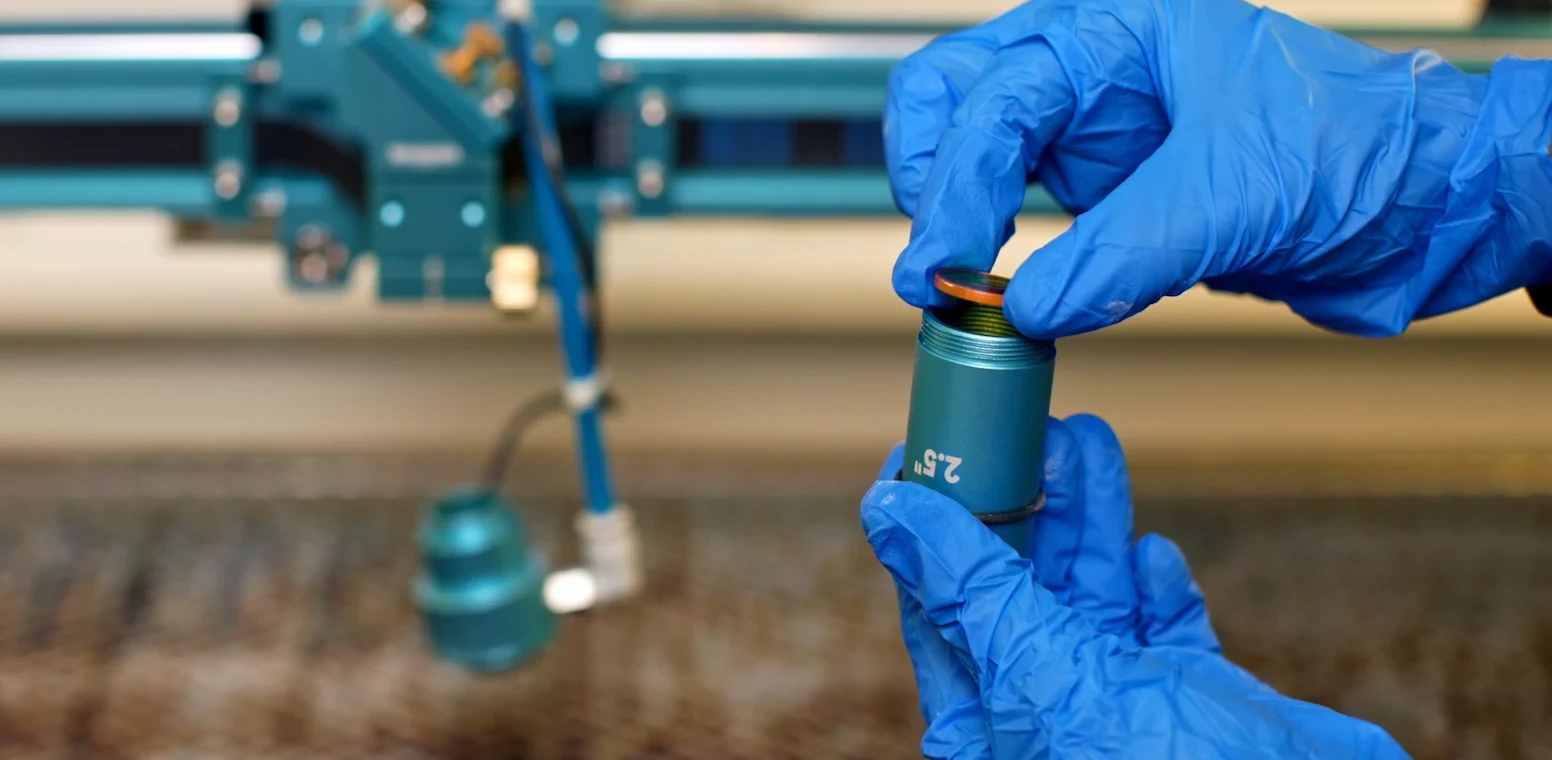
Installing the Focus Lens Correctly

One of the most common maintenance mistakes operators make is reinstalling the focus lens incorrectly after cleaning.

The curved side of the focus lens should face upward inside the laser head so that the laser beam hits the curved surface first before being focused downward onto the material.

If the lens is installed upside down:

  • beam focus changes
  • engraving detail becomes softer
  • cutting consistency decreases
  • edge quality becomes unstable
  • focus precision drops

The machine may still partially cut or engrave, which is why this issue is often overlooked initially.

However, engraving quality and cutting performance may become noticeably inconsistent, especially when laser cutting. The cutting lines become much thicker & power is reduced significantly. 

laser focus lens installation for accurate engraving and cutting performance

How Often Should Mirrors & Lenses Be Cleaned?

The frequency of optics cleaning depends heavily on:

  • production volume
  • material type
  • extraction quality
  • airflow settings
  • machine usage

Machines engraving MDF or cutting acrylic daily generally require more regular optics inspection because these materials produce large amounts of smoke and residue.

Signs optics may require cleaning include:

  • reduced engraving sharpness
  • excessive haze
  • weaker cutting performance
  • increased smoke marks
  • inconsistent engraving quality

In high-production environments, optics may need inspection weekly or even daily depending on workload.

correct laser focus lens installation for consistent engraving and cutting quality

Safety Tip

When cleaning laser mirrors and focus lenses, always use a lens-safe cleaning solution and a soft, lint-free cleaning material.
At MaxLaser, we recommend using a quality optical lens cleaning spray (similar to that used for eyeglasses) together with a soft cotton pad or lint-free optical wipe. This helps remove smoke residue and contamination without damaging the optical surface.
 
Avoid using:
  • dirty cloths
  • paper towels
  • abrasive materials
  • excessive pressure during cleaning
While cotton earbuds are commonly used by many operators, repeated use can sometimes create fine scratches on optical surfaces, especially if dirt particles become trapped in the tip. Over time, these scratches can reduce optical performance.
The safest approach is to gently clean the lens using a soft cotton pad or dedicated optical cleaning wipe with minimal pressure.

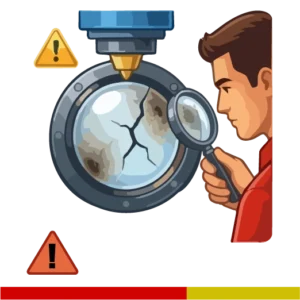
⚠️Warning: Dirty Lenses Can Crack

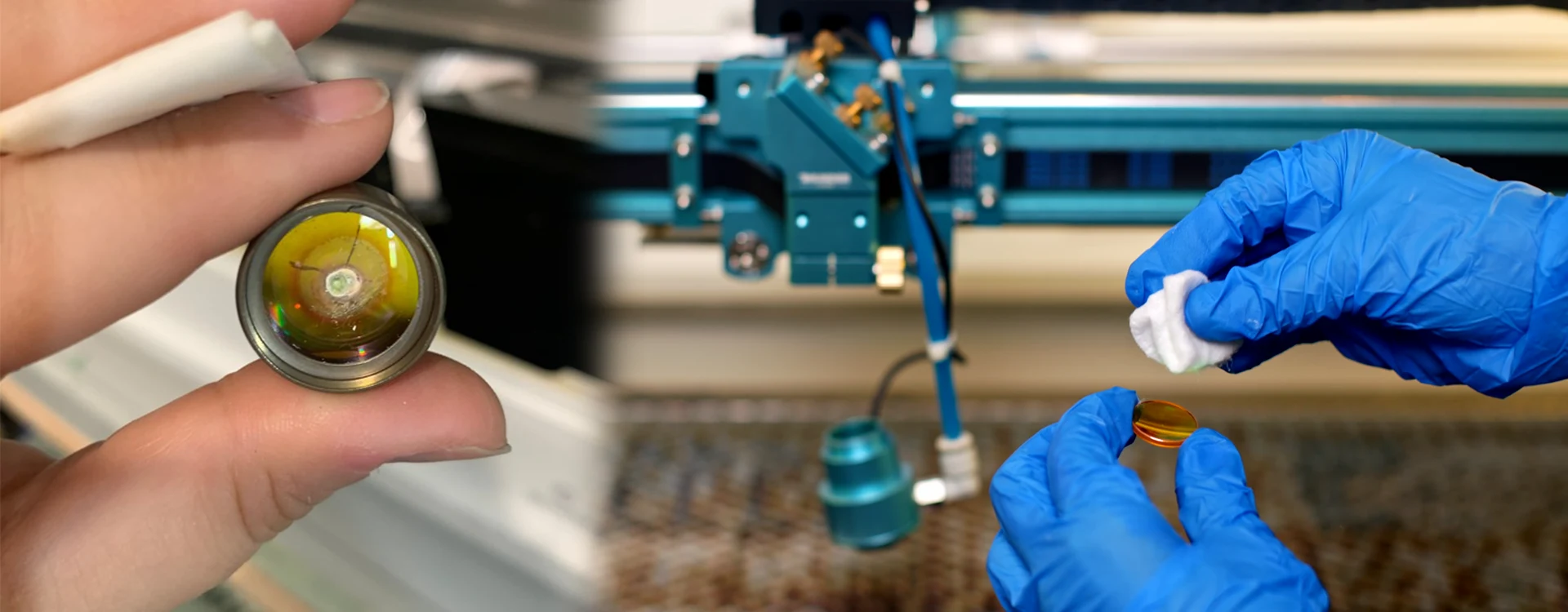
Smoke residue and contamination do more than reduce engraving quality. As the laser beam passes through a dirty focus lens, some of the laser energy is absorbed by the contamination instead of passing cleanly through the optics.
 
This creates localized heat build-up on the lens surface. Over time, excessive contamination can cause the focus lens to crack, resulting in poor engraving quality, weak cutting performance, and costly replacement of the optics.
 
One of the most common causes of cracked focus lenses is simply allowing smoke residue to build up for too long between cleaning intervals.
Cracked laser focus lens held beside a clean lens being wiped with a soft cloth to remove smoke residue and protect the optic from heat damage.

Maintaining Airflow & Air Assist Systems

The air assist system helps direct a constant stream of air onto the engraving or cutting area. Proper airflow improves engraving quality, reduces burning, removes smoke from the beam path, and helps protect the machine’s optics.
 
A poorly maintained air assist system can result in:
  • excessive burn marks
  • increased smoke around engravings
  • dirty cut edges
  • reduced cutting performance
  • more frequent lens contamination
  • flare-ups and small flames during production
Airflow problems are often caused by kinked air pipes, loose fittings, blocked nozzles, dirty filters, moisture build-up, or failing air pumps and compressors.
 
Regular inspection of the entire airflow system helps ensure consistent engraving quality and reduces unnecessary maintenance issues.

Common Airflow System Checks

Air pump or compressor operation
Air lines for kinks or damage
Air fittings for leaks
Air regulator settings
Moisture traps (if fitted)
Airflow at the laser head nozzle
Air assist pressure consistency

Testing Airflow Performance

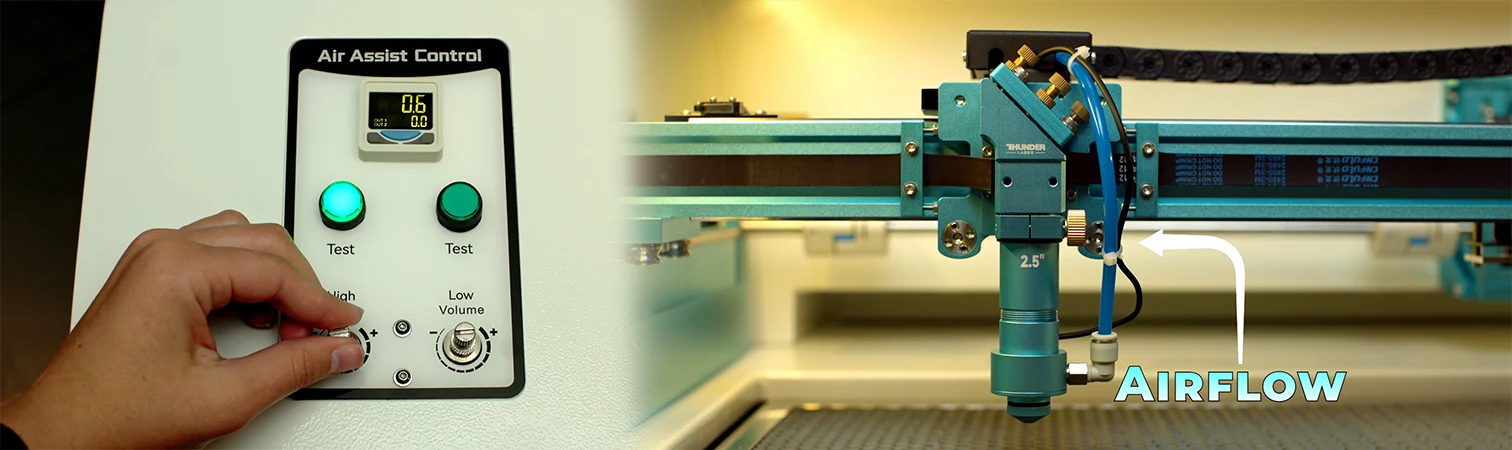
Many Thunder Laser machines are equipped with an Air Assist Test function on the control panel.
Pressing the test button briefly activates the air assist system, allowing operators to quickly verify airflow without starting a job.
 
During this test you should:
  • feel a strong and consistent stream of air from the nozzle
  • listen for air leaks around fittings and connections
  • confirm the compressor or air pump responds correctly
  • verify that airflow remains stable and unrestricted
If airflow feels weak or inconsistent, inspect the air lines, fittings, regulator, compressor, and nozzle for restrictions or maintenance issues.

Thunder Laser Smart Air Assist Systems

Thunder Laser’s dual air assist system allows operators to increase or decrease airflow depending on the material and application.
 
For example:
  • Lower airflow may be used for certain engraving applications.
  • Higher airflow is typically used for cutting thicker materials and reducing flare-ups.
Because airflow can be adjusted, operators should become familiar with the normal airflow levels used in their production environment. Significant changes in airflow performance can often be an early indication that maintenance is required.
Digital air assist control system on a CO2 laser engraver showing adjustable airflow settings used to improve engraving consistency, reduce soot buildup, and maintain clean laser engraving results on wood.
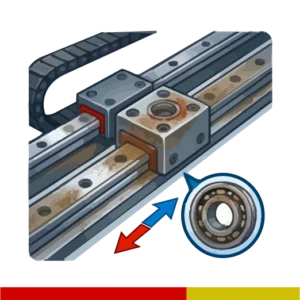
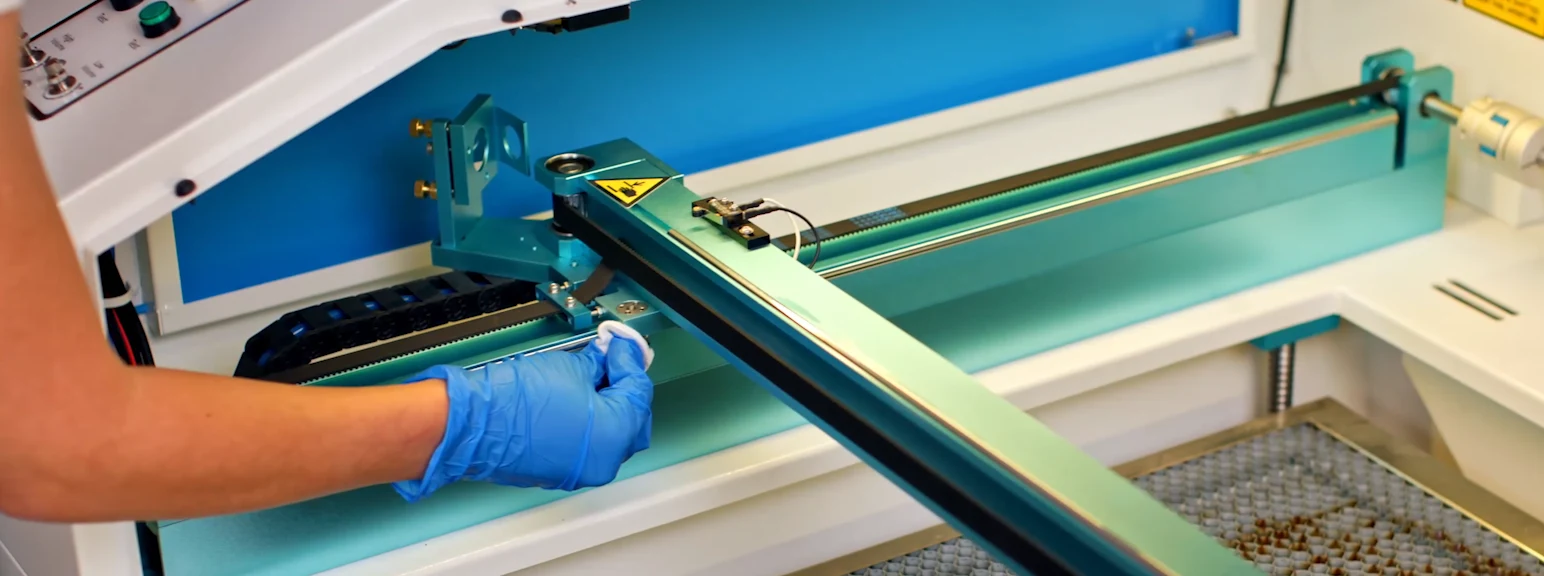
cleaning laser engraving machine rails and bearings during routine maintenance

Cleaning Rails, Bearings & Belts

Rails, bearings, and timing belts play an important role in engraving accuracy, smooth machine movement, and overall machine reliability. Dust, soot, and smoke residue can gradually accumulate on these components, affecting:
  • engraving precision
  • motion smoothness
  • cutting accuracy
  • machine reliability
  • long-term component life

Cleaning Bearings & Timing Belts

Bearings and timing belts should be cleaned using a soft brush and vacuum cleaner at the same time. The brush helps loosen dust, soot, and debris while the vacuum immediately removes contamination from the machine.
Pay particular attention to:
  • timing belts
  • bearing surfaces
  • motion assemblies
  • corners where debris accumulates
Regular cleaning helps prevent excessive wear and maintains smooth machine movement.

Cleaning & Lubricating Guide Rails

Guide rails should be cleaned and lubricated at the same time. Apply a small amount of suitable grease to a soft cotton pad and run the pad along the guide rail surface.
This process:
  • removes dust and contamination
  • distributes fresh grease evenly
  • reduces friction
  • protects the guide rail surface
  • maintains smooth engraving movement
As the cotton pad moves along the rail, it collects dirt and residue while simultaneously applying a fresh lubricating layer.

Laser Beam Alignment & Performance Issues

Laser beam alignment plays a major role in maintaining consistent engraving and cutting quality across the full machine bed.

Even slight alignment changes can affect:

  • cutting performance
  • engraving consistency
  • beam centering
  • edge quality
  • power distribution

Many users only notice alignment problems once cutting becomes inconsistent across different areas of the bed.

laser beam alignment through mirrors on a laser engraving machine

What Is Beam Alignment?

Beam alignment refers to how accurately the laser beam travels through the machine’s mirrors and lens before reaching the material being engraved or cut.
 
In a properly aligned laser machine, the beam remains centred throughout its entire path, ensuring consistent power delivery and engraving quality across the full working area.
 
Over time, normal machine movement, transport, accidental knocks, or component wear can cause the beam path to shift slightly. Even small alignment changes can lead to inconsistent engraving results, reduced cutting performance, power loss, blurry engraving, or areas of the bed that perform differently from others.
 
Regular beam alignment inspections help maintain consistent engraving quality, reliable cutting performance, and maximum laser efficiency throughout the machine’s working area.
 

Signs Beam Alignment May Be Incorrect

Common alignment warning signs include:

  • cutting properly on one side only
  • reduced cutting depth in certain areas
  • inconsistent engraving quality across the bed
  • unstable vector cutting
  • beam clipping
  • nozzle strikes

In many cases, users notice:

  • the left side cuts correctly
  • while the right side struggles to cut through

This usually indicates the beam path is no longer perfectly aligned throughout the machine.

When To Call A Technician

Basic inspections can sometimes be performed internally, but full beam alignment procedures are usually best handled by experienced technicians.

Incorrect alignment adjustments may:

  • worsen beam positioning
  • damage mirrors
  • reduce beam efficiency
  • increase cutting inconsistencies

Professional alignment helps ensure:

  • centered beam paths
  • stable engraving quality
  • full bed consistency
  • optimal cutting performance

Laser Engraving Machine Maintenance Troubleshooting Guide

Many engraving quality issues can often be traced back to maintenance-related problems. This troubleshooting guide covers some of the most common issues experienced in production environments and their likely causes.

TROUBLESHOOTING

Problem:

Heavy Smoke Remaining Inside the Machine

Possible Causes:

  • clogged extraction piping

  • blocked extraction vents

  • restricted airflow

  • contaminated filters

  • weak extraction performance

Recommended Actions:

  • inspect ducting

  • vacuum extraction ports

  • inspect airflow restrictions

  • clean extraction piping

Problem:

Jagged or Rough Cutting Edges

Possible Causes:

  • loose focus lens

  • dirty optics

  • unstable airflow

  • vibration

  • beam instability

Recommended Actions:

  • inspect retaining ring

  • verify lens seating

  • clean mirrors and lens

  • inspect rails and belts

Loose Focus Lenses Can Cause Jagged Cutting

Extraction systems are one of the most overlooked parts of laser machine maintenance.

Even when the extraction fan is still operating, airflow may become heavily restricted because soot and debris gradually build up inside:

  • extraction piping
  • bends in the ducting
  • rear extraction ports
  • vent connections

Restricted extraction performance causes:

  • smoke to remain inside the machine
  • increased soot contamination
  • engraving haze
  • stronger smells
  • poor acrylic cutting performance
  • excessive burn marks

Inspecting and cleaning extraction piping regularly helps maintain proper airflow and cleaner engraving results.
In many cases, users focus only on external filters while the actual restriction may be deeper inside the extraction system itself.

Problem:

Weak or Blurry Engraving

Possible Causes:

  • dirty focus lens

  • smoke contamination

  • incorrect focus

  • upside-down lens installation

  • poor airflow

Recommended Actions:

  • clean optics

  • inspect lens orientation

  • improve extraction

  • verify focus height

Problem:

Flames During Acrylic Cutting

Possible Causes:

  • weak air assist

  • blocked airflow

  • clogged nozzles

  • restricted extraction

  • excessive heat buildup

Recommended Actions:

  • inspect airflow

  • clean nozzles

  • inspect extraction systems

  • improve air assist performance

Problem:

Cutting Through on One Side of the Bed Only

Possible Causes:

  • beam alignment issues

  • mirror positioning

  • unstable optics

  • beam centering problems

Recommended Actions:

  • inspect alignment

  • perform alignment testing

  • contact technician if required

Problem:

Excessive Burn Marks Around Engraving

Possible Causes:

  • restricted airflow

  • poor extraction

  • excessive heat buildup

  • dirty optics

  • incorrect speed settings

Recommended Actions:

  • improve airflow

  • clean extraction systems

  • inspect optics

  • optimize engraving settings

Laser focus lens inspection during routine laser engraving machine maintenance

Recommended Maintenance Schedule for Laser Engraving Machines

Creating a regular maintenance routine is one of the best ways to maintain laser cutting & engraving quality, reduce unexpected downtime, and extend the lifespan of your laser machine.

Many issues develop slowly over time because smoke residue, dust, and airflow restrictions gradually build up throughout the machine during production. Regular maintenance inspections help identify smaller problems before they become major production issues.

Machines operating with:

  • leather 
  • acrylic 
  • wood
  • cardboard
  • rubber

typically require more regular cleaning because these materials generate larger amounts of smoke and airborne residue.

The schedule below provides a practical maintenance structure used in many real-world production environments.

Daily Maintenance

Keep your laser machine performing at its best with these quick daily maintenance tasks.

Clean Mirrors & Lenses
Inspect and clean mirrors and focus lenses to maintain beam quality and consistent engraving and cutting results.

Inspect Air Assist Nozzle
Check the nozzle for dust, residue, or obstructions that may restrict airflow and affect cutting performance.

Empty Crumb Trays
Remove accumulated offcuts, dust, and debris from crumb trays to reduce fire risks and maintain proper airflow within the machine.

Weekly Maintenance

These maintenance tasks help maintain engraving quality, machine reliability, and smooth motion system performance.

Clean Machine Interior
Vacuum and wipe down the interior of the machine to remove dust, smoke residue, and material debris that can affect performance.

Clean & Grease Rails & Bearings
Clean guide rails and bearings to prevent dust buildup and ensure smooth, accurate movement of the laser head.

Inspect Belts
Check belts for dust accumulation, wear, or damage. Clean as needed to maintain positioning accuracy.

Inspect Extraction Ports
Examine extraction vents and ports for blockages that could restrict airflow and reduce smoke removal efficiency.


Monthly Maintenance

Monthly maintenance helps prevent performance issues before they affect production quality.

Inspect Extraction Piping
Inspect ducting and extraction piping for soot buildup, debris, leaks, or restrictions that could reduce airflow.

Inspect Beam Alignment
Check laser beam alignment to ensure consistent power delivery and engraving quality across the entire work area.

Quarterly / Annual Maintenance

These deeper maintenance procedures help prevent long-term issues and extend machine lifespan.

Deep Clean the Extraction System
Perform a thorough cleaning of extraction fans, ducting, ports, and related components to improve smoke evacuation and airflow performance.

Full Technician Inspection
Schedule a comprehensive inspection by a qualified technician quarterly or biannually. This helps identify wear, alignment issues, optics problems, and other maintenance concerns before they become costly repairs.


Recommended Laser Cutting & Engraving Machines for Production Environments

The correct laser machine depends on:

  • production volume
  • engraving detail requirements
  • material types
  • workspace size
  • business goals
  • cutting quality

Thunder laser systems are particularly popular for engraving-focused workflows 

  • tighter beam quality
  • sharper engraving detail
  • faster response times
  • cleaner raster acceleration
  • cleaner cuts

Why don’t Thunder Laser engraving machines require a water chiller?

Professional engraving machines fitted with RF (Radio Frequency) metal laser tubes use an air-cooled laser source rather than a traditional glass CO₂ tube. RF tubes provide faster response times, sharper engraving detail, improved beam consistency, and typically longer service life.
 
To maximize performance:
  • Keep the machine away from direct sunlight.
  • Operate in a well-ventilated room.
  • Avoid excessively hot environments.
  • Keep the RF tube cooling fans free from dust and debris.
Unlike glass laser tubes, RF tubes do not require a water chiller, making them simpler to maintain while delivering exceptional engraving quality.
 
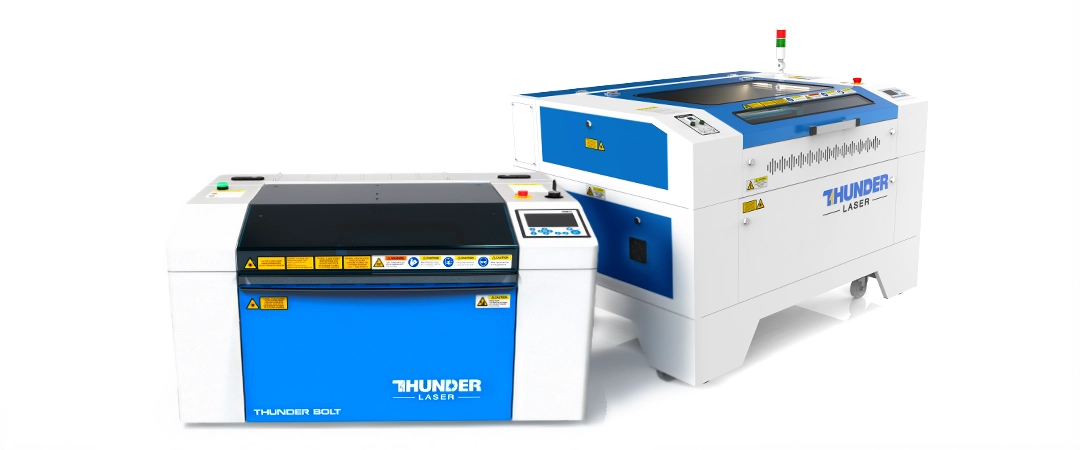
Thunder Nova Plus and Thunder Bolt laser machines
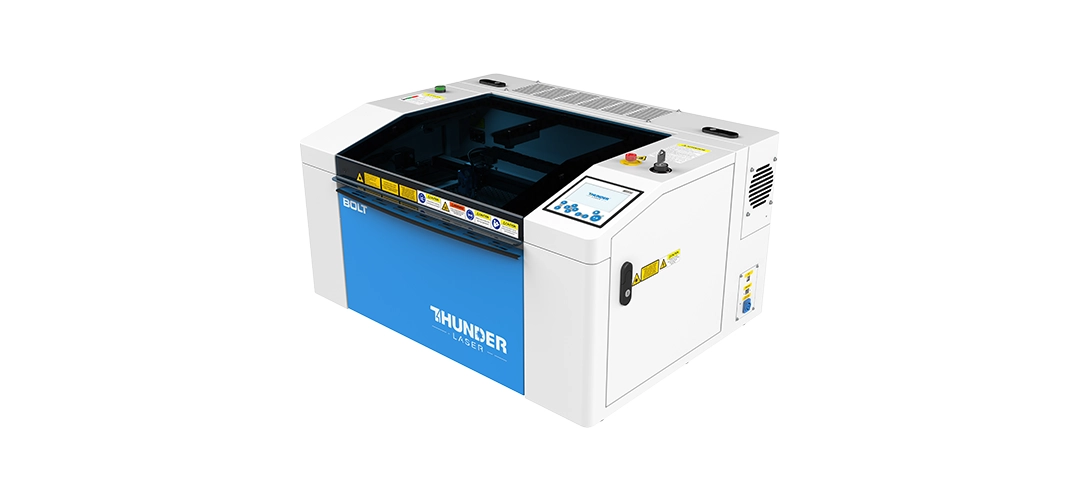
Thunder Bolt Product shot: Thunder Bolt CO2 laser cutting and engraving machine

Thunder Bolt

Best For:

  • premium engraving
  • detailed branding
  • personalised products
  • signage
  • studio production

Advantages:

  • RF metal tube precision
  • compact footprint
  • sharp engraving quality
  • excellent detail reproduction
Thunder Bolt Laser Machine
Thunder Nova 35 CO2 laser cutting and engraving machine for signage and décor

Thunder Nova 35 Plus

Best For:

  • daily production workflows
  • signage manufacturing
  • wood engraving
  • acrylic production
  • medium-sized businesses

Advantages:

  • larger working area
  • engraving and cutting versatility
  • production-friendly workflow
  • stronger throughput capability
Thunder Nova 35 Plus

Need Help Choosing the Right Laser Engraving Machine?

Whether you are starting a personalised product business, building a signage company, or improving production engraving quality, MaxLaser can help you choose the correct laser engraving system for your workflow.

Speak To A Laser Expert

Frequently Asked Questions About Laser Engraving Machine Maintenance

Blurry engraving is often caused by dirty optics, incorrect focus, smoke contamination, poor airflow, or incorrectly installed focus lenses.

Yes. Dirty mirrors reduce beam efficiency and can affect engraving sharpness, cutting consistency, and overall machine performance.

Restricted airflow, blocked nozzles, weak air assist, or poor extraction can cause excessive heat buildup and flames during acrylic cutting.

Loose focus lenses, dirty optics, unstable airflow, or vibration can all contribute to rough or jagged cutting edges.

Yes. Vacuuming debris and soot from inside the machine is an effective way to reduce contamination and maintain cleaner airflow.

The laser beam focus changes, which can reduce engraving sharpness, cutting performance, and beam consistency.

A quality RF metal laser tube is typically rated for 10,000+ operating hours, while most glass CO₂ laser tubes are generally rated between 2,000 and 8,000 operating hours, depending on the quality of the tube and operating conditions.
 
While laser tubes are commonly measured in operating hours, both RF and glass tubes naturally age over time. Even if a machine is not used regularly, laser tubes do not last indefinitely. Factors such as age, operating environment, temperature, and maintenance can all affect long-term performance.
 
In general, RF laser tubes are known for their longer service life, greater beam consistency, and lower maintenance requirements compared to traditional glass CO₂ laser tubes.

Cleaning & Optics

Machines used daily for wood, acrylic, and leather should generally be cleaned weekly, while optics and airflow systems may require daily cleans depending on production volume.

Yes. Dirty mirrors reduce beam efficiency and can affect engraving sharpness, cutting consistency, and overall machine performance.

Always use approved optics cleaning materials and avoid excessive pressure or aggressive chemicals when cleaning lenses and mirrors.

Airflow & Extraction

This usually indicates restricted extraction airflow caused by clogged ducting, blocked vents, or contaminated extraction systems.

Yes. Soot and debris gradually accumulate inside extraction piping and can heavily restrict airflow over time.

Air assist systems should generally be inspected weekly, especially in production environments cutting MDF or acrylic regularly.

Beam Alignment

Uneven cutting often indicates beam alignment issues, dirty optics, or inconsistent beam centering across the machine bed.

If cutting quality changes depending on where material is positioned on the bed, beam alignment may require inspection.

Need Help Maintaining Your Laser Engraving & Cutting Machine?

Proper maintenance plays a major role in engraving quality, cleaner production, airflow stability, and long-term machine reliability. Whether you need technical advice, engraving troubleshooting, extraction maintenance guidance, or help improving cut quality, MaxLaser can assist.

View Laser Engraving Machines Speak To A Technician