Laser Cutting Acrylic: Clean Edges, Polished Finishes & Professional Results

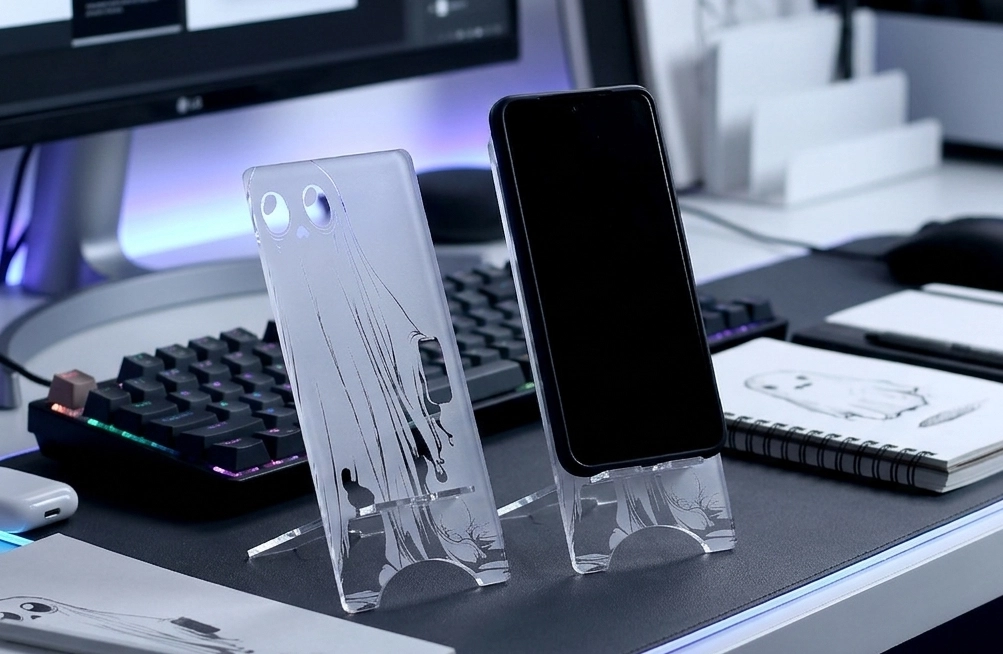
Illustration of a polished acrylic edge with a warm flame glow, representing smooth flame-polished laser-cut acrylic.

Flame-Polished Edge

Illustration of finished laser-cut acrylic products with a checkmark badge, representing clean production-ready results.

Production-Ready Results

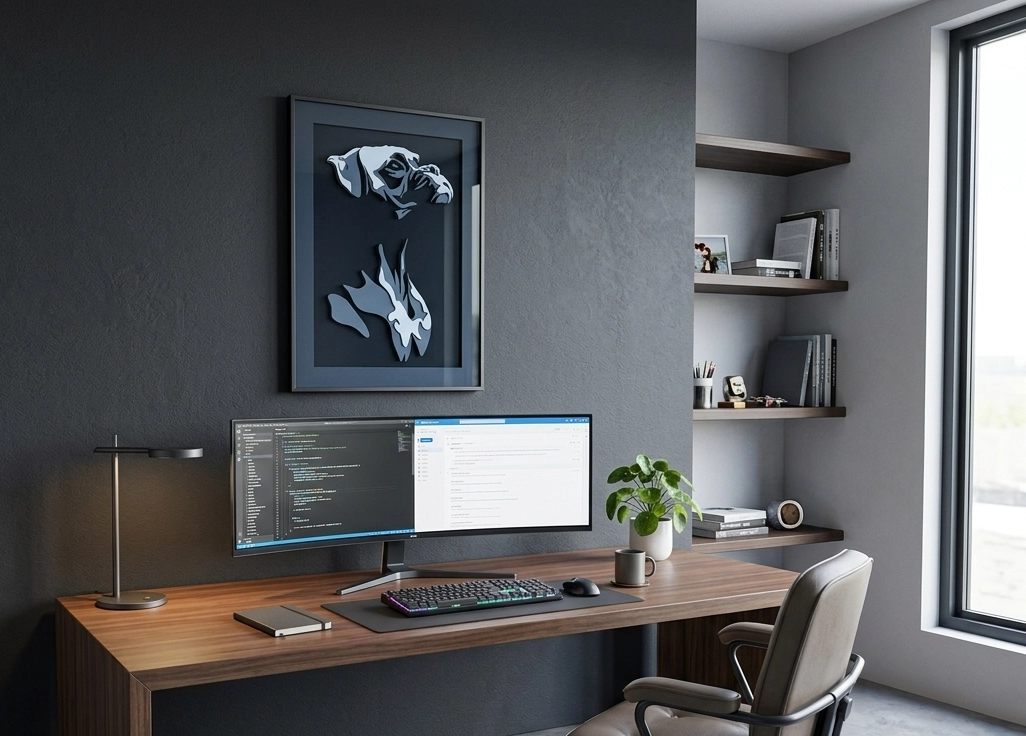
Illustration of an acrylic retail display and signage stand, representing laser-cut acrylic products for shops and branding.

Ideal for Signage & Retail

Laser cutting acrylic is one of the most effective ways to produce clean, professional, high-value products using a CO₂ laser machine.

Unlike materials such as MDF, which often require sanding, sealing, or painting after cutting, acrylic produces a polished, glass-like edge directly from the laser. This means you can move from cutting to the final product with minimal post-processing.

Because of this, acrylic is widely used in industries such as signage, retail, corporate branding, and interior décor — where appearance matters just as much as accuracy.

In this guide, we’ll cover everything you need to know about laser cutting acrylic, including:

How Acrylic Is Made (And Why It Affects Cutting Quality)

One of the most important things to understand about acrylic is that not all sheets behave the same, even if they look identical. The difference comes down to how the material is manufactured.

Understanding how acrylic is made helps explain why cast acrylic performs better than extruded acrylic when laser cutting.

Even though both materials may look the same, the internal structure is very different.
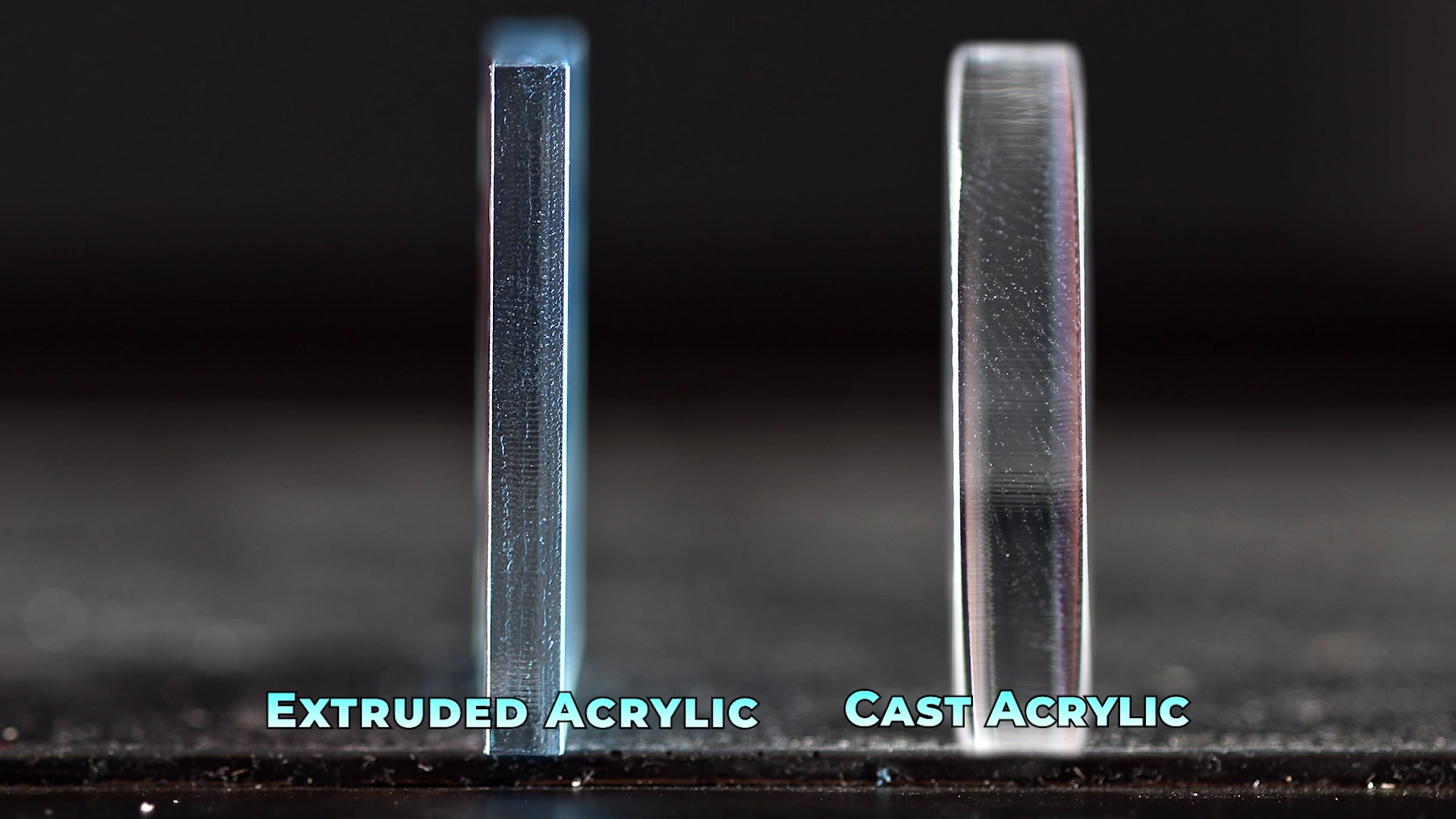
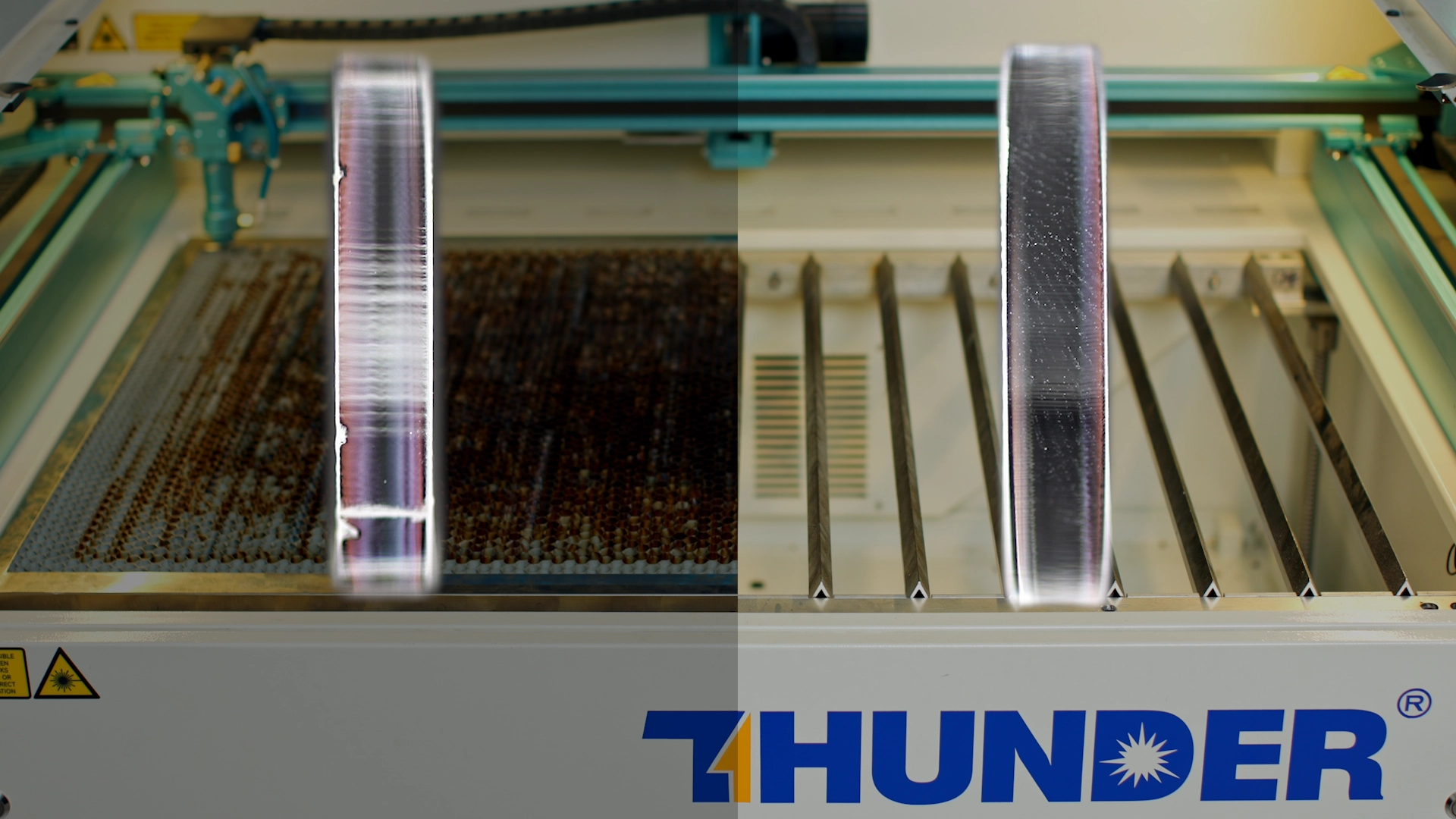
Cast acrylic and extruded acrylic laser cutting results

How Cast Acrylic Is Made

Cast acrylic is made by pouring liquid acrylic into moulds and allowing it to cure slowly.

Process:

  • Liquid acrylic is poured between two surfaces (often glass)
  • It cures naturally over time
  • The material forms without pressure

What this means:

Because the material is formed slowly:

  • The internal structure is more stable
  • It reacts evenly to heat
  • It produces clean, flame-polished edges
  • It is engraved with a frosted, high-contrast finish

👉 This is why cast acrylic is the preferred choice for laser cutting.

How Extruded Acrylic Is Made

Extruded acrylic is manufactured by forcing melted plastic through rollers.

Process:

  • Acrylic pellets are heated and melted
  • The material is pushed through an extrusion machine
  • It is quickly shaped into sheets

What this means:

Because it is formed under pressure:

  • The internal structure is more stressed
  • It reacts differently to heat
  • It can melt instead of cleanly cutting
  • Engraving results are less defined

Why This Difference Matters

Even though both materials may look identical before cutting:

  • Cast acrylic produces cleaner edges and better engraving
  • Extruded acrylic produces less consistent results

👉 Rule: If you want a clear edge finish— use cast acrylic.

Why it matters

Clean, Polished Edges Straight Off the Machine

One of the biggest advantages of acrylic is that it produces a flame-polished edge during cutting.

This means:

  • No sanding required
  • No additional finishing
  • A professional result immediately

In a production environment, this significantly reduces labour time.

High-End, Premium Appearance

Acrylic has a natural gloss finish that mimics glass but without the fragility.

This allows you to:

  • Position products at a higher price point
  • Work with corporate clients
  • Create modern, high-end designs

Faster Production Workflow

Because acrylic does not require finishing:

  • Jobs move faster
  • Throughput increases
  • Turnaround times improve

This becomes critical when scaling a business.

Consistent Cutting Results

Unlike natural materials:

  • Acrylic behaves predictably
  • There is no grain direction
  • Results are repeatable

This makes it ideal for batch production.

Strong Market Demand

Acrylic is used across multiple industries, meaning:

  • Consistent demand
  • Multiple revenue streams
  • Easy product diversification

Advanced Acrylic Cutting Tips (Pro-Level)

How to Improve Acrylic Edge Clarity

  • Slightly reduce speed
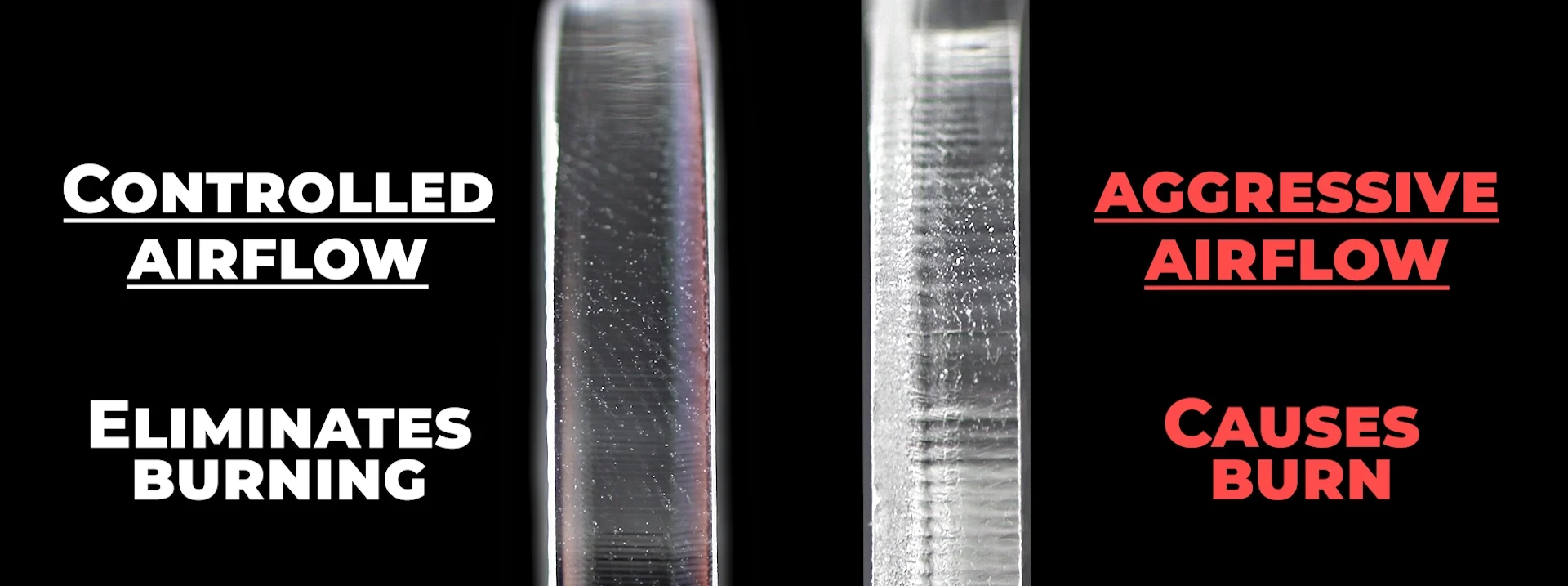
  • Avoid excessive airflow

Use Blade Table for Cleaner Underside

  • Reduces reflection
  • Improves bottom edge

Leave Space Between Parts

  • Prevents heat accumulation
  • Improves cut consistency

Why You Should Test Every New Acrylic Sheet

Different batches behave differently.

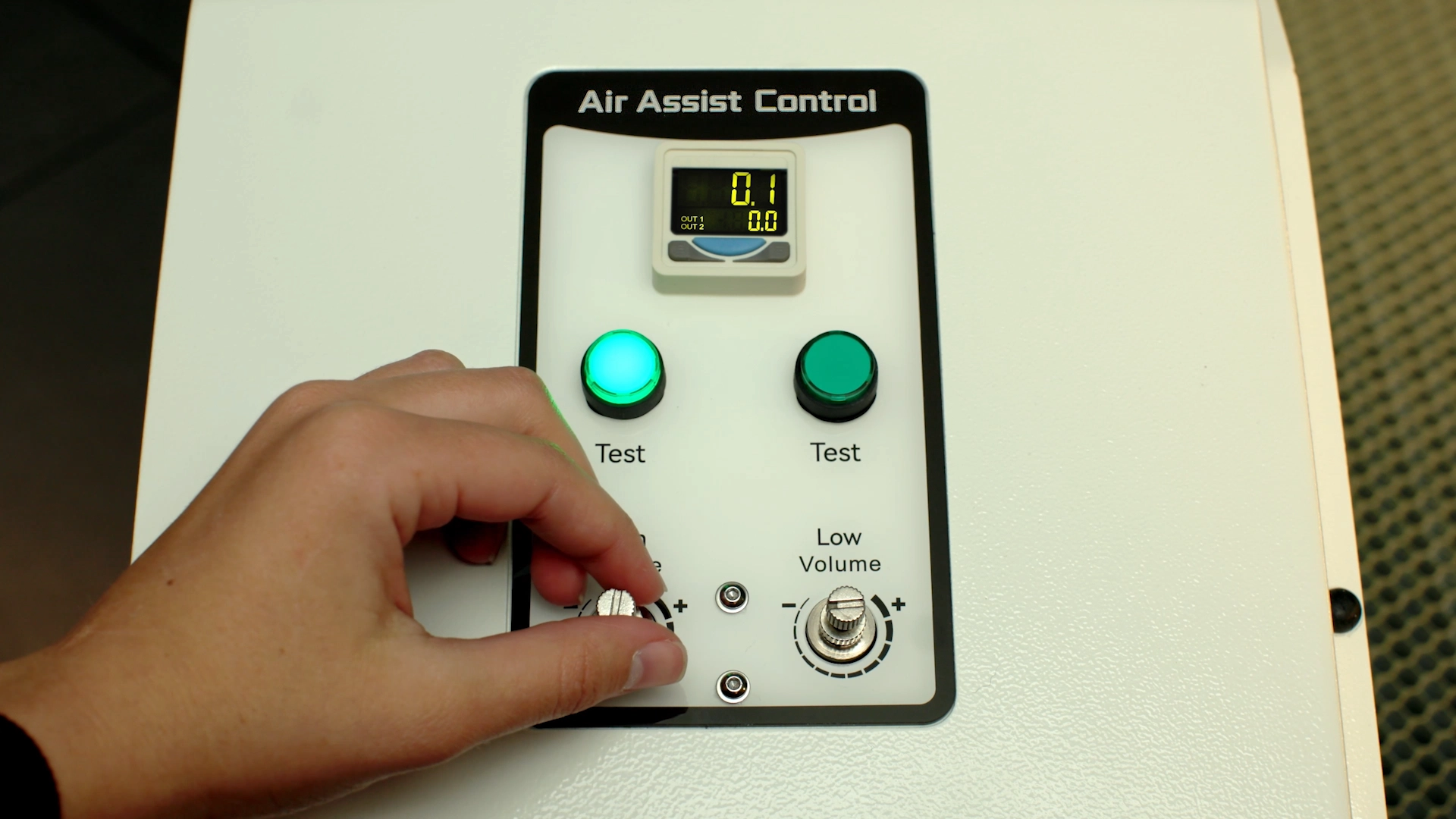
Use Proper Air Assist Settings

  • Prevents burnt edges
  • Keeps cuts clean
  • Improves consistency

Common Acrylic Cutting Mistakes

What Causes Poor Acrylic Laser Cutting Results?

Most acrylic cutting problems come from poor heat control, incorrect material selection, excessive airflow, incorrect focus, or improper machine setup. Common mistakes include using extruded acrylic instead of cast acrylic, cutting with incorrect speed and power settings, removing the protective film too early, using multiple passes, cutting on honeycomb tables, and relying on diode lasers instead of CO₂ machines. Professional acrylic results depend on balanced heat, controlled airflow, correct focus, and proper machine configuration.

Practical Tips Used in Real Production Environments

Professional acrylic production is not just about laser settings — it’s about consistency, workflow, and repeatable quality.
In real production environments, operators focus on small adjustments that improve efficiency, reduce waste, and create cleaner finished products.
 

Standardise Materials Wherever Possible

Using the same type and thickness of acrylic consistently helps maintain predictable cutting results and reduces setup time between jobs.
 

Test Settings Before Large Production Runs

Professional operators rarely start full production immediately.
Small test cuts are used to confirm:
  • Edge quality
  • Fitment
  • Airflow balance
  • Material behaviour
before committing to larger sheets.
 

Optimise Workflow and Cut Order

Efficient file setup reduces unnecessary machine movement and improves overall production speed.
A common workflow is:
  • Cut inner details first
  • Cut outer shapes last
This improves consistency and prevents smaller parts from shifting during production.
 

Use the Correct Table Setup for the Job

Many production environments switch between:
  • Honeycomb tables
  • Blade tables
depending on the material and finish required.
For acrylic cutting, blade tables are often preferred for cleaner undersides and reduced reflections.
 

Use Scoring and Light Marking for Assembly Work

In layered signage and mixed-material products, light scoring is often used to create positioning guides for:
  • Acrylic letters
  • Layered panels
  • Assembly alignment
This speeds up production and improves accuracy.
 

Keep Materials Clean During Production

Dust, fingerprints, and residue can affect final presentation quality.
Professional workflows often include:
  • Keeping protective film on during cutting
  • Cleaning products after production
  • Handling acrylic carefully to avoid scratches

Best Acrylic Laser Cutting Machines (Why CO₂ Lasers Are the Right Choice)

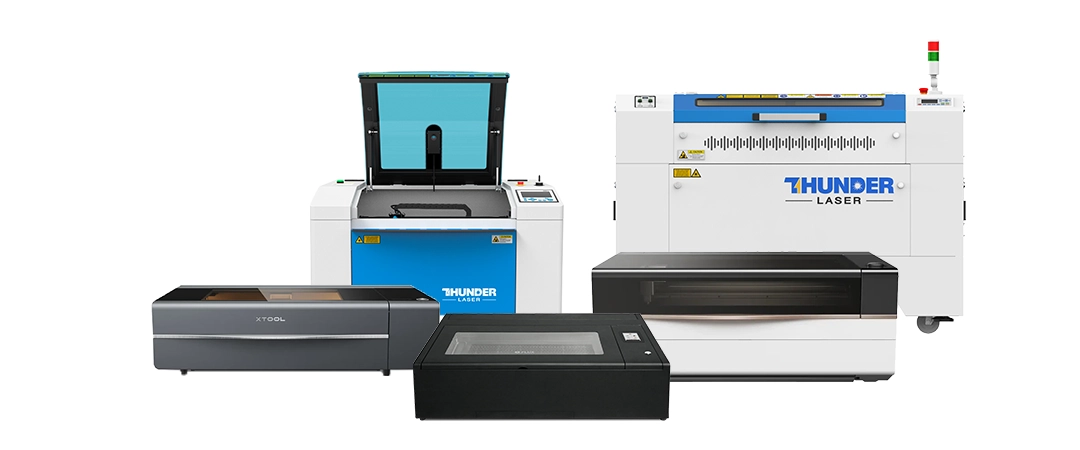
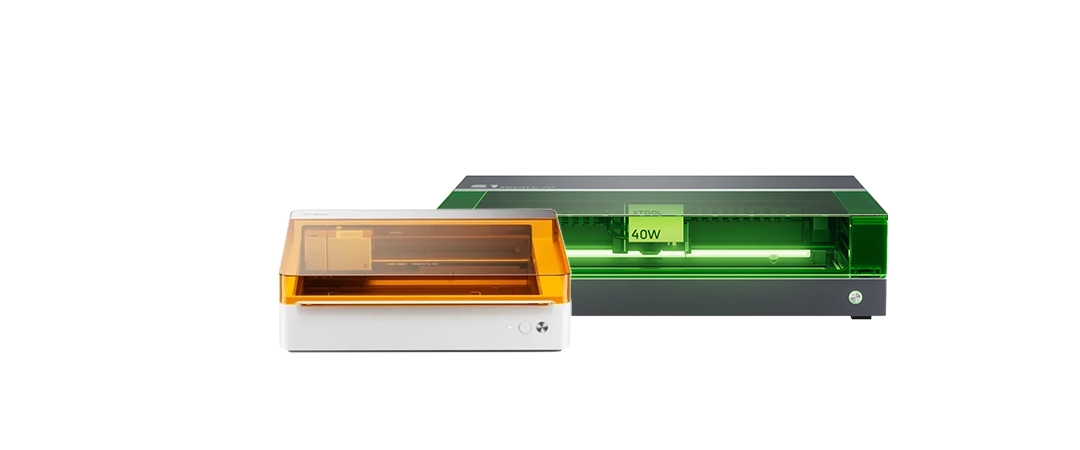
When it comes to cutting acrylic cleanly and professionally, the type of laser machine you use matters just as much as your settings.

Not all laser machines are designed to handle acrylic properly — and choosing the wrong one can lead to poor edge quality, slow production, and inconsistent results.

How Businesses Make Money with Laser-Cut Acrylic

Laser-cut acrylic is not just about cutting material. It is about creating high-margin products that customers are willing to pay for.

With the right machine, businesses are producing and selling:

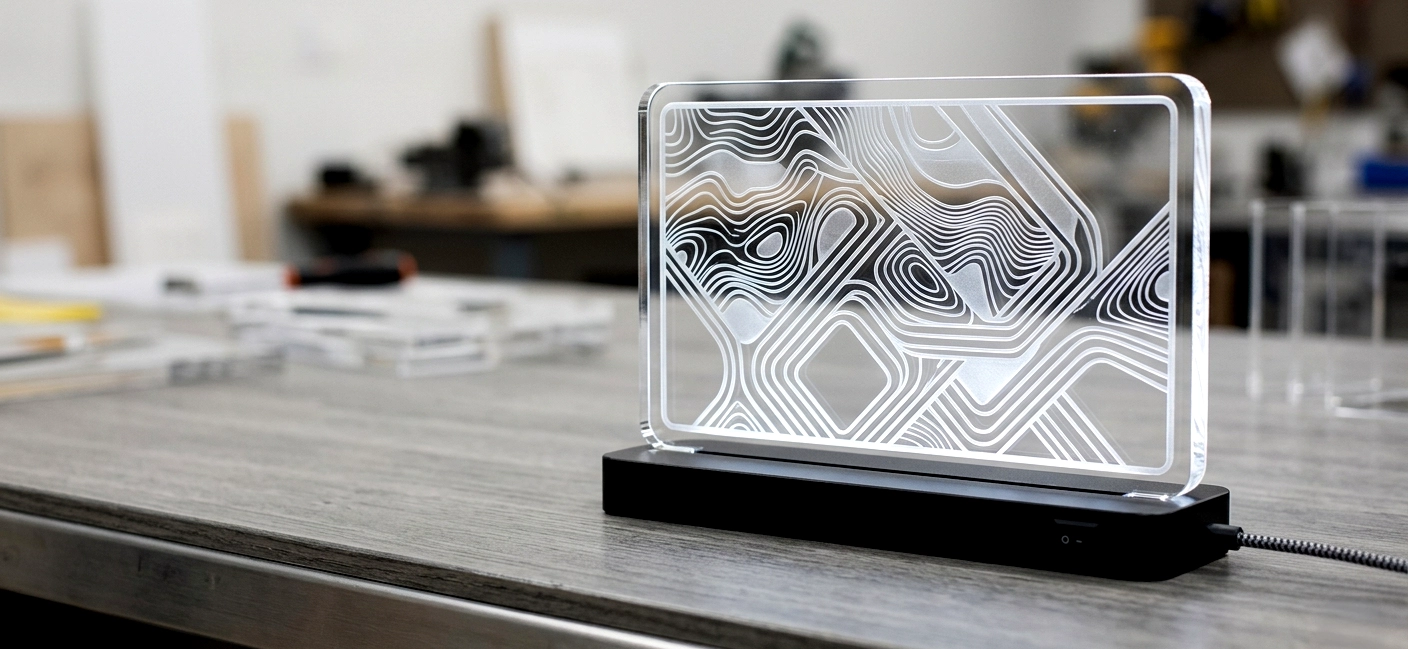
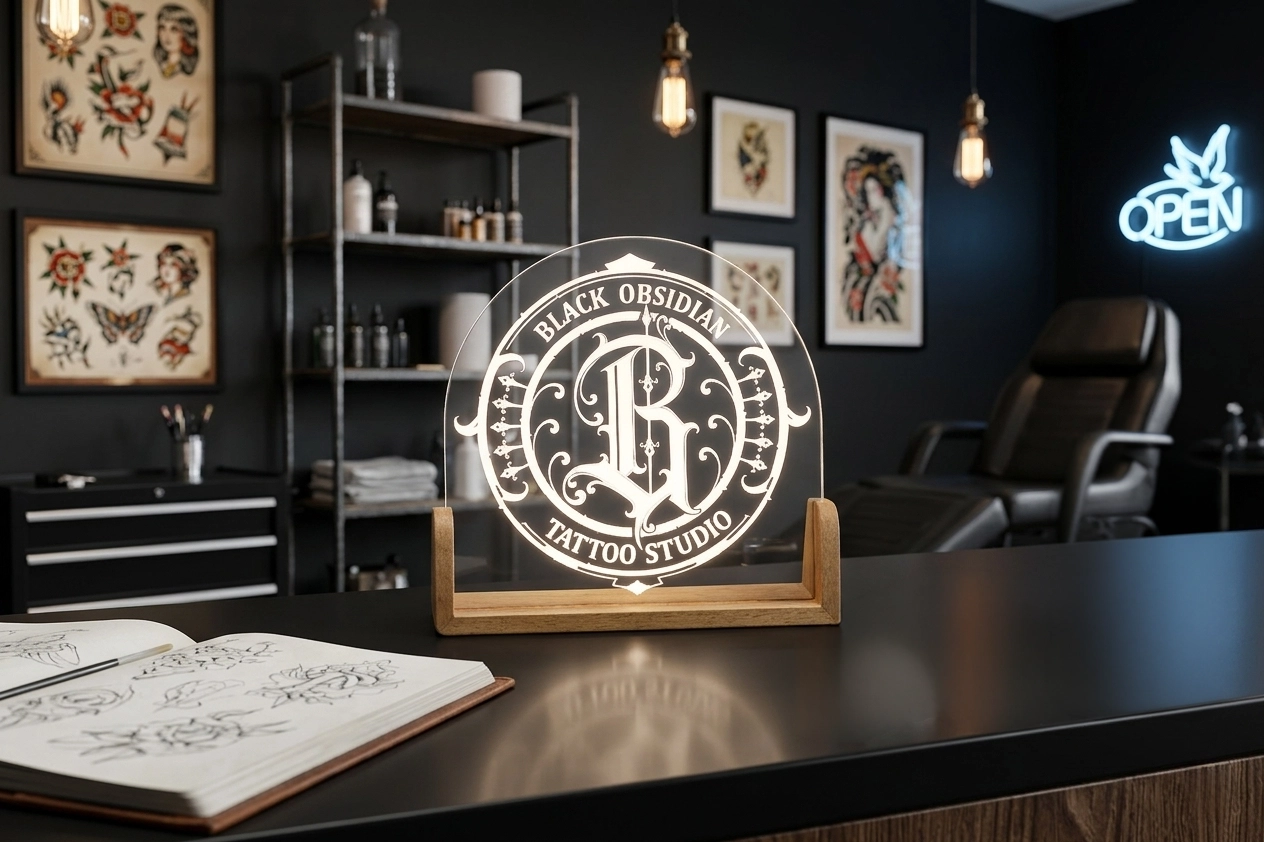
  • LED edge-lit signage
  • Retail display stands
  • Office branding panels
  • Wedding decor and gifts
  • Custom name boards

These products require clean, polished edges, which is why CO2 laser machines are the industry standard.

Whether you’re just starting or refining your workflow, understanding acrylic properly will dramatically improve your results and profitability.

Start Cutting Acrylic Like a Professional

If you want clean, polished acrylic edges that are ready to sell, the type of laser machine you use matters more than anything else.

At MaxLaser, we help you choose the right machine, test materials, and get real results from day one.

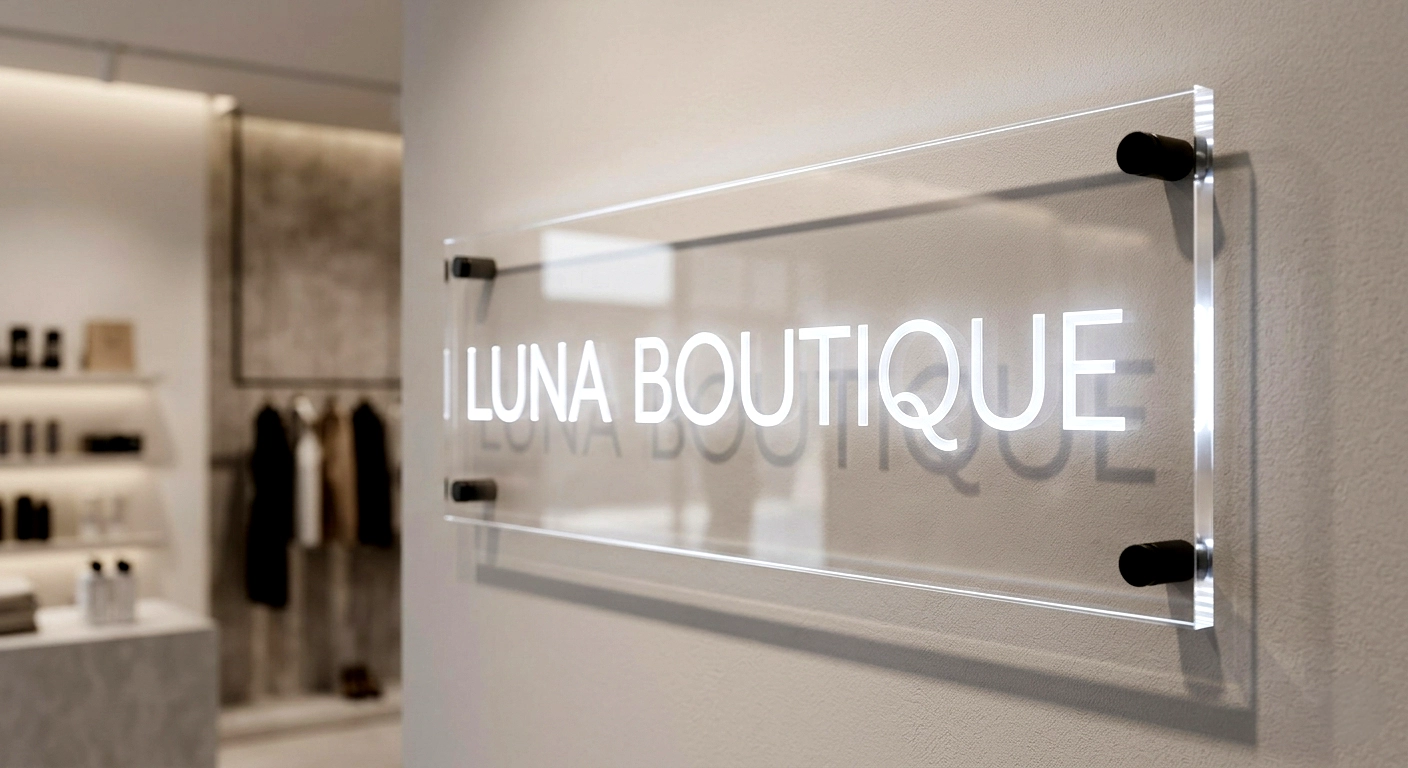
Wall-mounted clear acrylic boutique sign with frosted engraved lettering and polished transparent edges, illuminated by soft white LED lighting inside a modern minimalist retail interior.

Why Acrylic Is One of the Best Materials for Laser Cutting

Acrylic stands out as one of the most popular materials for laser cutting because it produces results that look finished straight off the machine.

Key Advantages of Laser Cutting Acrylic :

  • Flame-polished edges
  • Smooth, consistent finish
  • No sanding required
  • High-end, glass-like appearance
  • Predictable cutting behaviour

Unlike wood or MDF, acrylic does not have grain or internal inconsistencies. This makes it much easier to produce repeatable results, especially in production environments.

Industries in South Africa, that commonly use acrylic :


What Can You Make With Laser-Cut Acrylic?

Laser-cut acrylic is popular because the finished product looks modern, polished, and ready to sell. With the right CO2 laser machine, businesses produce high-value products for signage, retail, events, branding, gifting, and décor.

CO₂ vs Diode Lasers – What’s the Difference?

The two most common types of laser machines people consider for cutting acrylic are:

  • CO₂ laser machines
  • Diode laser machines

While both have their place, they behave very differently when cutting acrylic.


 CO2 laser machine for cutting acrylicDiode laser machines

Feature 

CO₂ Lasers

Diode Lasers

Acrylic Performance

Industry standard for acrylic cutting

Limited acrylic performance

Laser Power

Higher power options available

Generally lower power

Acrylic Compatibility

Excellent with clear acrylic

Struggles with clear acrylic

Cutting Quality

Clean, polished edges

Inconsistent edge finish

Cutting Method

Reliable single-pass cutting

Often requires multiple passes

Production Speed

Faster production speeds

Slower cutting speeds


Acrylic is designed to respond to CO₂ laser wavelengths — that’s why CO₂ machines produce a production-ready finish while diode lasers struggle.

Why Diode Lasers Struggle With Acrylic

Diode laser machines are popular for hobby use and entry-level engraving, but they have several limitations when it comes to cutting acrylic professionally.
One of the main reasons is that diode lasers use a different wavelength of light compared to CO₂ lasers. Clear acrylic does not absorb diode laser wavelengths efficiently, which means the laser energy passes through the material instead of cutting it effectively.
Because of this, diode lasers often:
  • Struggle to cut clear acrylic consistently
  • Require multiple passes to cut through thicker material
  • Produce frosted or uneven edges
  • Generate more heat build-up during long jobs
  • Cut slower than CO₂ laser machines
In many cases, diode lasers work better on dark or opaque acrylic because darker colours absorb more laser energy. However, even then, the edge quality is typically not as polished or production-ready as a CO₂ laser result.
For hobby projects, a diode laser may still be useful for:
  • Small decorative items
  • Thin dark acrylic
  • Light engraving applications
But for professional acrylic production, signage, retail displays, LED edge-lit products, and clean polished edges, CO₂ laser machines remain the preferred solution.

How CO₂ Lasers Create Polished Acrylic Edges

CO₂ lasers produce clean, smooth, flame-polished acrylic edges during the cutting process. As the laser cuts, the acrylic melts evenly and cools into a glossy finish, often eliminating the need for additional polishing.
This results in:
  • Cleaner cuts
  • Professional edge quality
  • Faster production
  • Better-looking acrylic products
CO₂ laser machines are widely used for acrylic signage, retail displays, decorative panels, and premium acrylic products because of their consistent polished edge results.

Why Acrylic Reacts Better to CO₂ Wavelengths

Acrylic absorbs the wavelength produced by CO₂ lasers far more efficiently than the wavelength produced by diode lasers. This allows the laser energy to transfer directly into the material, creating cleaner and more consistent cuts.
Because the acrylic absorbs the CO₂ laser beam effectively, the machine can:
  • Cut faster
  • Produce polished edges
  • Reduce heat stress
  • Improve cutting consistency
This is why CO₂ laser machines are the preferred choice for professional acrylic cutting, especially for signage, display work, and high-quality finished products.

Single-Pass vs Multi-Pass Acrylic Cutting

CO₂ laser machines can often cut acrylic in a single clean pass, depending on the material thickness and machine power. This helps produce smoother edges, faster production times, and more consistent results.
Diode lasers usually require multiple passes to cut acrylic, especially on thicker materials. Multiple passes can increase heat build-up, create rougher edges, and slow down production.

What Wattage Works Best for Acrylic?

The ideal laser wattage depends on the acrylic thickness, production speed, and type of work being done. Higher wattage CO₂ lasers can also cut thinner acrylic faster and more efficiently.
As a general guide, CO₂ laser machines can typically cut acrylic up to approximately:
  • 40W CO₂ can laser cut up to 6mm acrylic
  • 60W CO₂ can laser cut up to 8mm acrylic
  • 80W CO₂ can laser cut up to 12mm acrylic
  • 100W CO₂ can laser cut up to 16mm acrylic
  • 130W CO₂ can laser cut up to 20mm acrylic
Higher wattage machines are often preferred for production environments because they can:
  • Increase cutting speeds
  • Improve workflow efficiency
  • Handle thicker materials more comfortably
  • Reduce production times on larger jobs
Actual cutting performance may vary depending on the acrylic type, machine setup, lens selection, and desired edge quality.
 

Recommended Machines

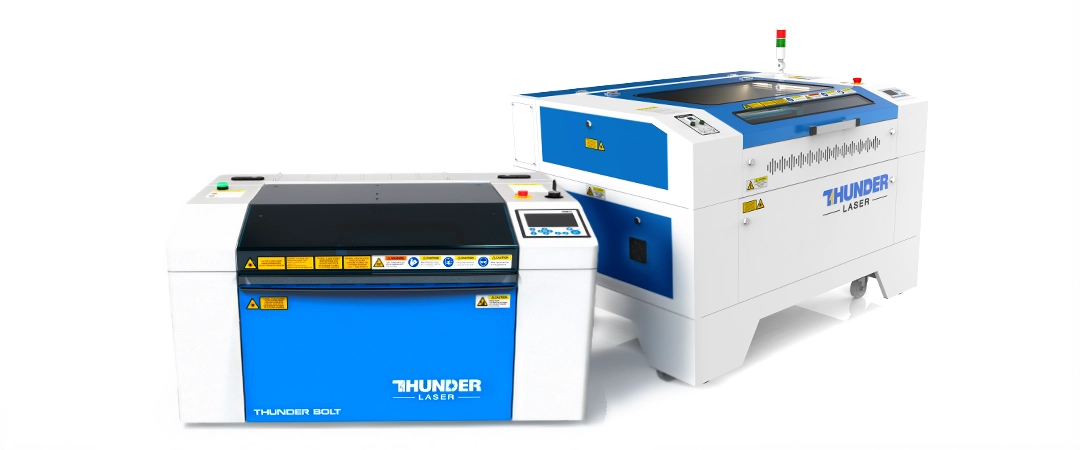
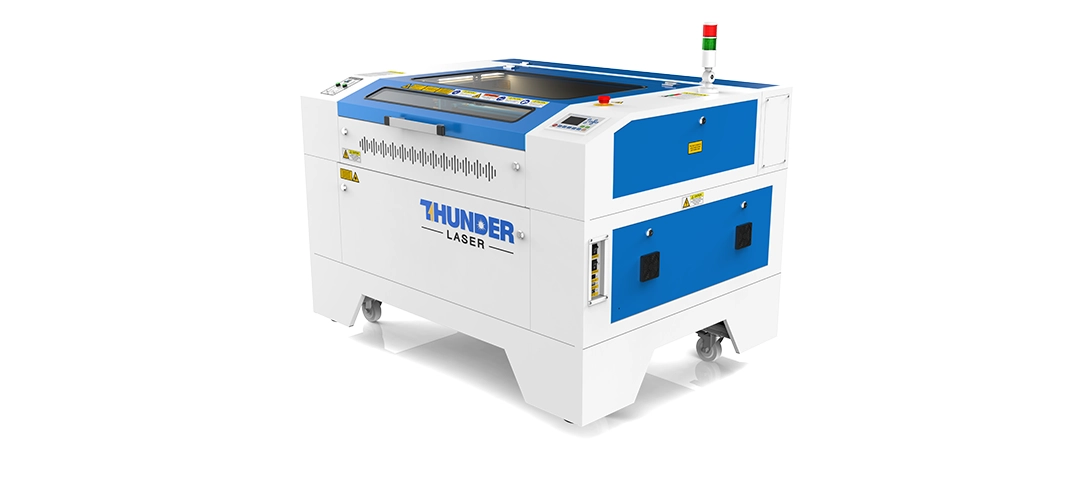
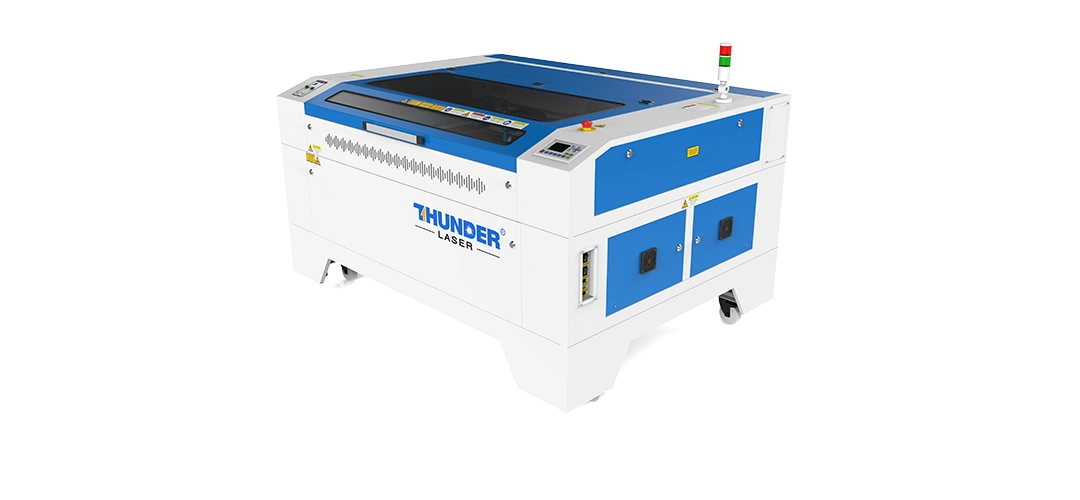
Thunder Nova Plus and Thunder Bolt laser machines
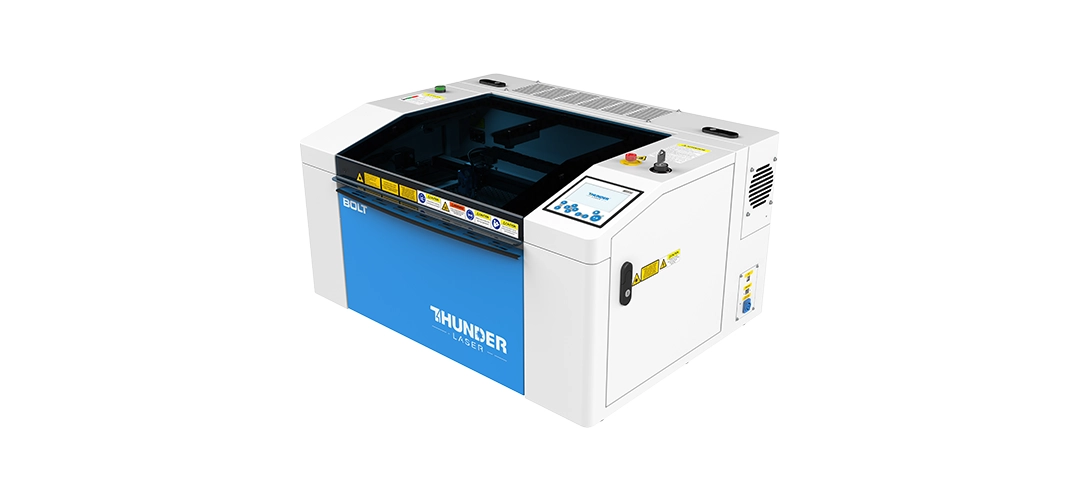
Thunder Bolt Product shot: Thunder Bolt CO2 laser cutting machine for acrylic and engraving — MaxLaser South Africa Action shot: Thunder Bolt CO2 laser cutting acrylic sheet in a small workshop — MaxLaser South Africa

Thunder Bolt

Single-pass acrylic cutting: Up to 10mm
Best for: Startups, signage samples, gifting, and light production.

View Machine
Thunder Nova 35 Product shot: Thunder Nova 35 CO2 laser cutting machine for acrylic signage and décor — MaxLaser South Africa Action shot: Thunder Nova 35 CO2 laser cutting acrylic for signage production — MaxLaser South Africa

Thunder Nova 35

Single-pass acrylic cutting: Up to 12mm
Best for: Small businesses, signage shops, acrylic décor, and retail products

View Machine
Thunder Nova 51 Product shot: Thunder Nova 51 CO2 laser cutting machine for acrylic production and batch work — MaxLaser South Africa Action shot: Thunder Nova 51 CO2 laser cutting thick acrylic sheet for retail display production — MaxLaser South Africa

Thunder Nova 51

Single-pass acrylic cutting: Up to 16mm
Best for: Growing production shops, larger signs, and batch acrylic work

View Machine
Thunder Nova 63 Product shot: Thunder Nova 63 large-format CO2 laser cutting machine for commercial acrylic work — MaxLaser South Africa Action shot: Thunder Nova 63 CO2 laser cutting large acrylic sheet for commercial signage — MaxLaser South Africa

Thunder Nova 63

Single-pass acrylic cutting: Up to 20mm
Best for: Higher-volume production, larger sheet work, and commercial signage

View Machine

Why the Thunder Nova Series Is a Top Choice for Acrylic Cutting

The Thunder Laser Nova series is one of the most reliable and well-balanced CO₂ laser ranges for acrylic cutting — suitable for both growing businesses and production environments.

Built for Clean, Consistent Acrylic Cutting

The Nova series delivers:

  • Stable beam quality
  • Consistent cutting results
  • Reliable performance across different acrylic thicknesses

This is critical when producing professional products where quality must be repeatable.

Power and Efficiency for Real Production

With multiple wattage options, the Nova series allows you to:

  • Cut thicker acrylic
  • Increase cutting speed
  • Maintain clean edges without excessive heat build-up

More power means:

  • Less need to slow down
  • Better edge clarity
  • More efficient production

Key Advantage:

Higher wattage machines:

  • Cut faster
  • Produce cleaner edges
  • Handle thicker material

Thunder Nova / ThunderBolt

Thunder Laser machines supplied by MaxLaser include a 2-year warranty, excluding consumable items such as laser tubes and lenses. MaxLaser also provides installation, training, technical support, and after-sales assistance to help customers get the best performance from their machines.

Have a look at our laser machines 👇

Laser cutting & Engraving Machines

Why Choose MaxLaser?

When you invest in a laser machine, you’re not just buying equipment. You’re choosing a partner that helps you succeed.

  • Improve cutting quality
  • Increase profitability faster
  • Scale with confidence
Get Started with MaxLaser Academy

Maxlaser installation and training

Delivery & Remote Training

Lifetime technical support

Lifetime Technical Support

Local South African Stock & Spares

Hands-On Demo Facility

Real Business Setup Guidance

MaxLaser warranty and after-sales

Warranty & After-Sales Backup

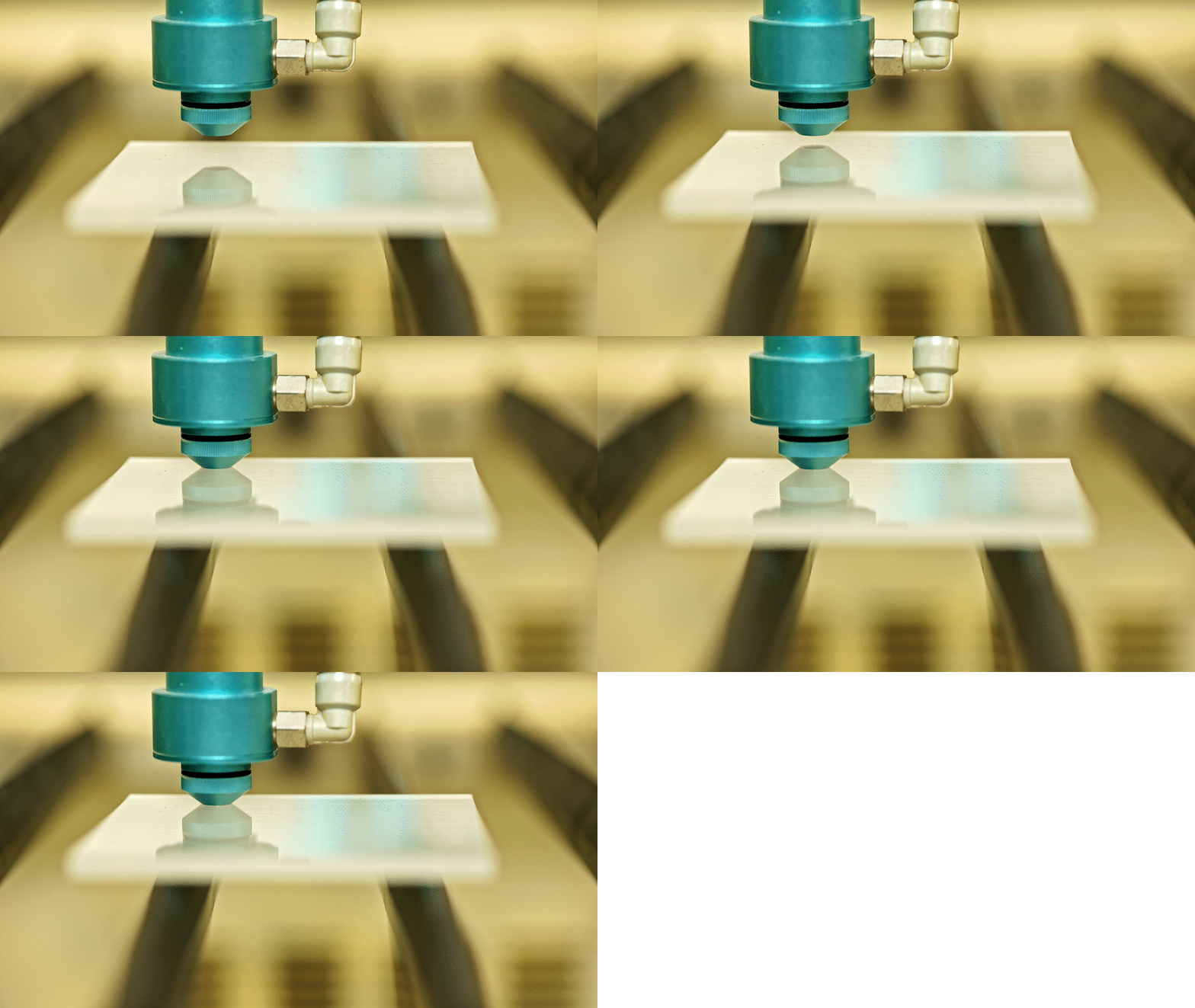
Acrylic laser cutting results from different nozzle setups

Laser Cutting Acrylic Mistakes & How To Fix It

MISTAKE 1:
USING THE WRONG TYPE OF ACRYLIC

The Problem

Using extruded acrylic instead of cast acrylic.

 What Happens

  • edges lack polish
  • engraving looks dull
  • inconsistent heat behaviour

The Fix

Always use cast acrylic.

Cast acrylic:

  • melts evenly
  • re-solidifies cleanly
  • produces a polished edge

MISTAKE 2:
THINKING ACRYLIC CUTTING IS ABOUT SPEED ALONE

The Problem

Conflicting advice:

  • “Cut fast”
  • “Cut slow”

The Reality

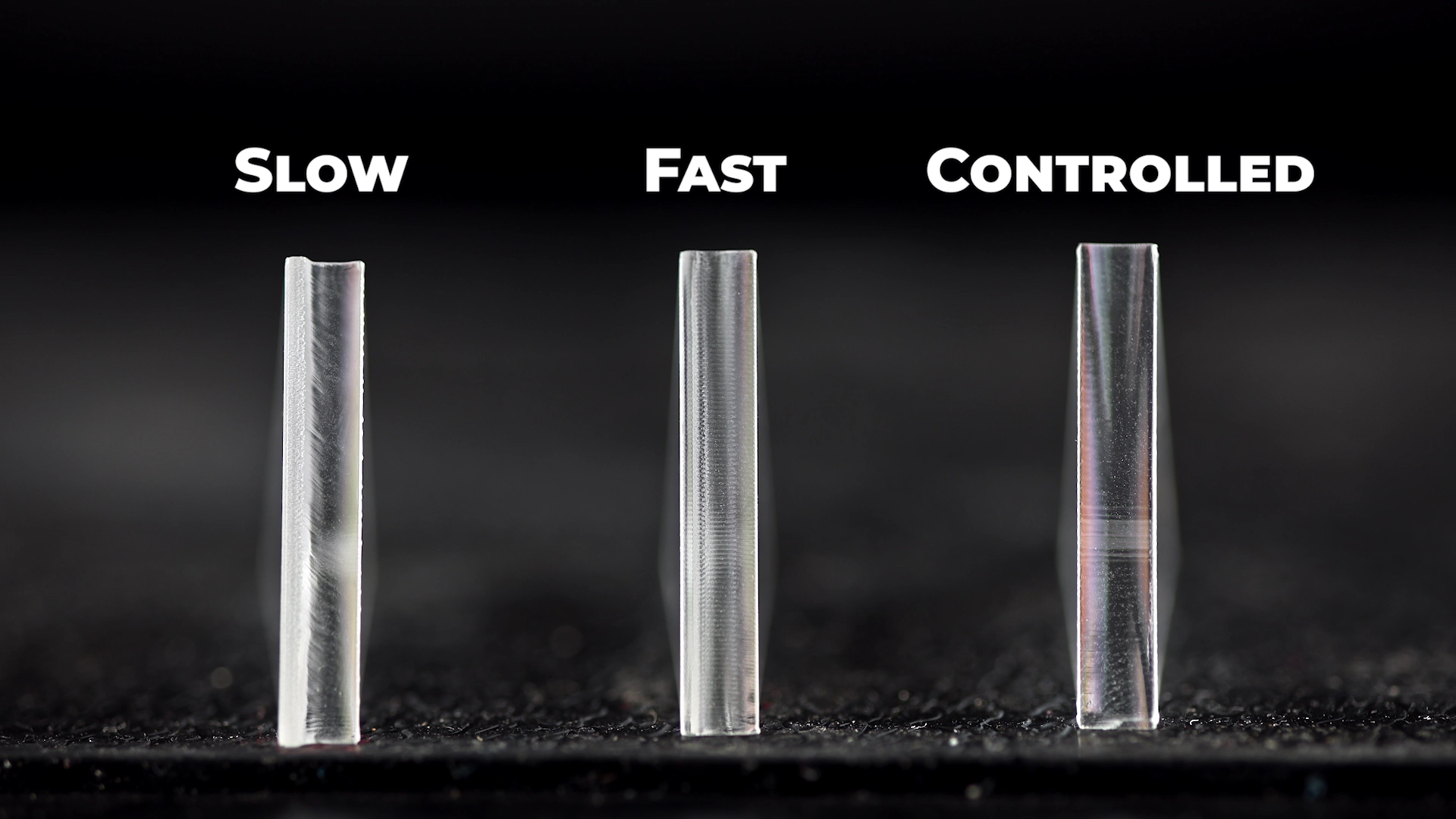
Acrylic cutting is about heat control, not speed alone.

 What Happens

Too slow:

  • overheating
  • rounded edges
  • cloudy finish

Too fast:

  • incomplete cuts
  • rough edges

The Fix

  • Use sufficient power
  • Use controlled speed
  • Aim for one clean pass

KEY INSIGHT

The goal is not speed — the goal is controlled heat.

MISTAKE 3:
USING THE WRONG POWER FOR THE MATERIAL THICKNESS

The Problem

Incorrect power relative to thickness.

 What Happens

Too slow:

  • overheating
  • rounded edges
  • cloudy finish

Too fast:

  • incomplete cuts
  • rough edges

The Fix

  • Use enough power for a clean pass
  • Avoid compensating with speed

KEY INSIGHT

Power and speed must work together — not independently.

MISTAKE 4:
INCORRECT AIR ASSIST SETUP (TOO MUCH OR POORLY DIRECTED AIRFLOW)

The Problem

Too much airflow or airflow hitting the cut line aggressively.

 What Happens

  • disturbs molten acrylic
  • interrupts reflow
  • causes:
    • smudged edges
    • cloudy finish
    • reduced clarity

Why This Happens

Acrylic needs smooth melting and cooling.

Too much air:

  • cools unevenly
  • disrupts edge formation

The Fix

  • reduce airflow pressure
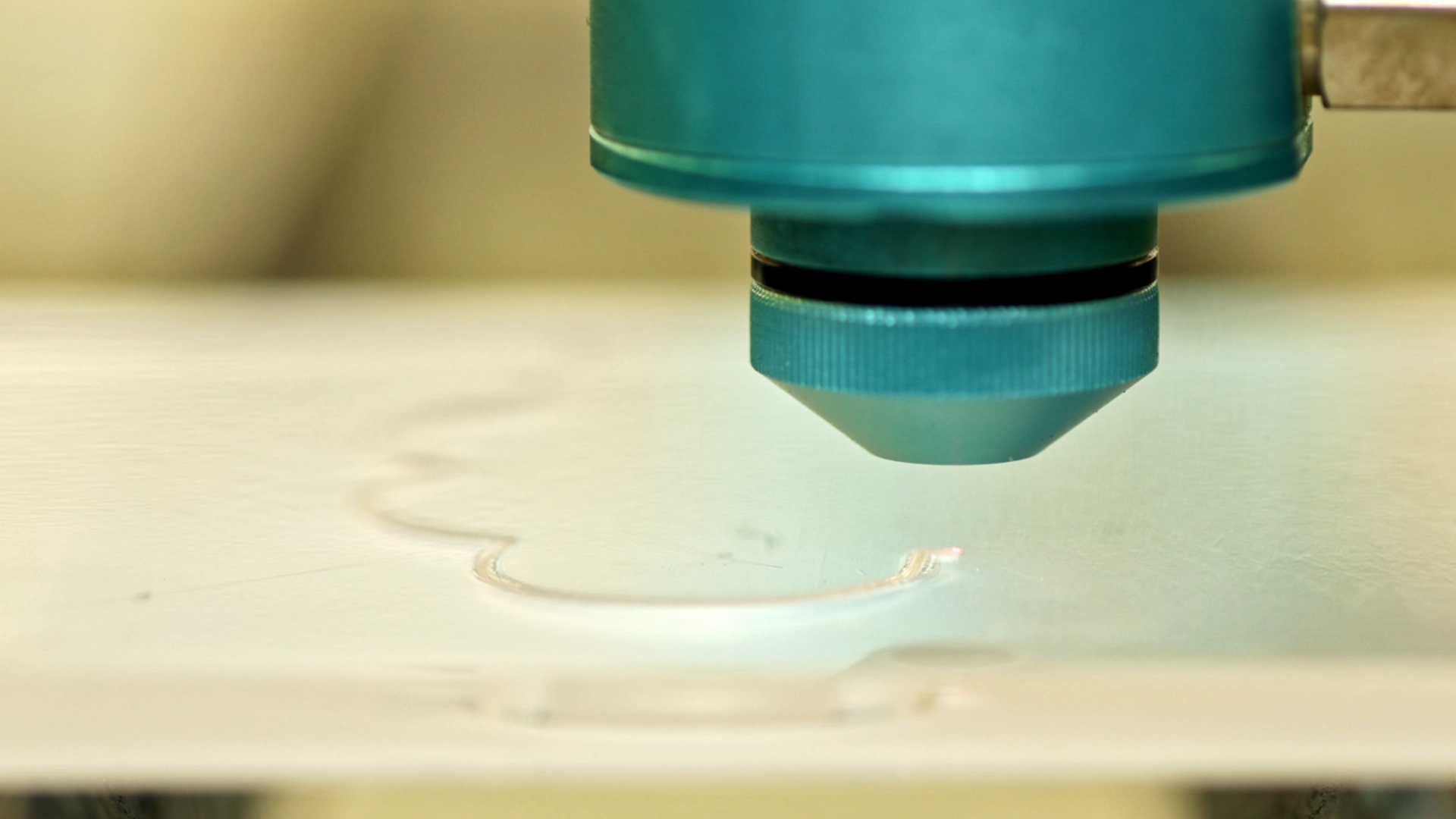
  • avoid direct nozzle blasting
  • adjust airflow direction

Best Practice

  • use low to moderate airflow
  • test per material

KEY INSIGHT

Unlike MDF, where strong airflow improves cutting, acrylic performs best with controlled airflow.

MISTAKE 5:
CUTTING ACRYLIC ON A HONEYCOMB TABLE (REFLECTIONS & MARKS)

The Problem

Cutting directly on honeycomb.

 What Happens

  • beam reflects
  • underside marks
  • quality drops

The Fix

  • use blade table
  • elevate acrylic

KEY INSIGHT

The underside of your cut is just as important as the top — reflections can ruin an otherwise perfect job.

MISTAKE 7:
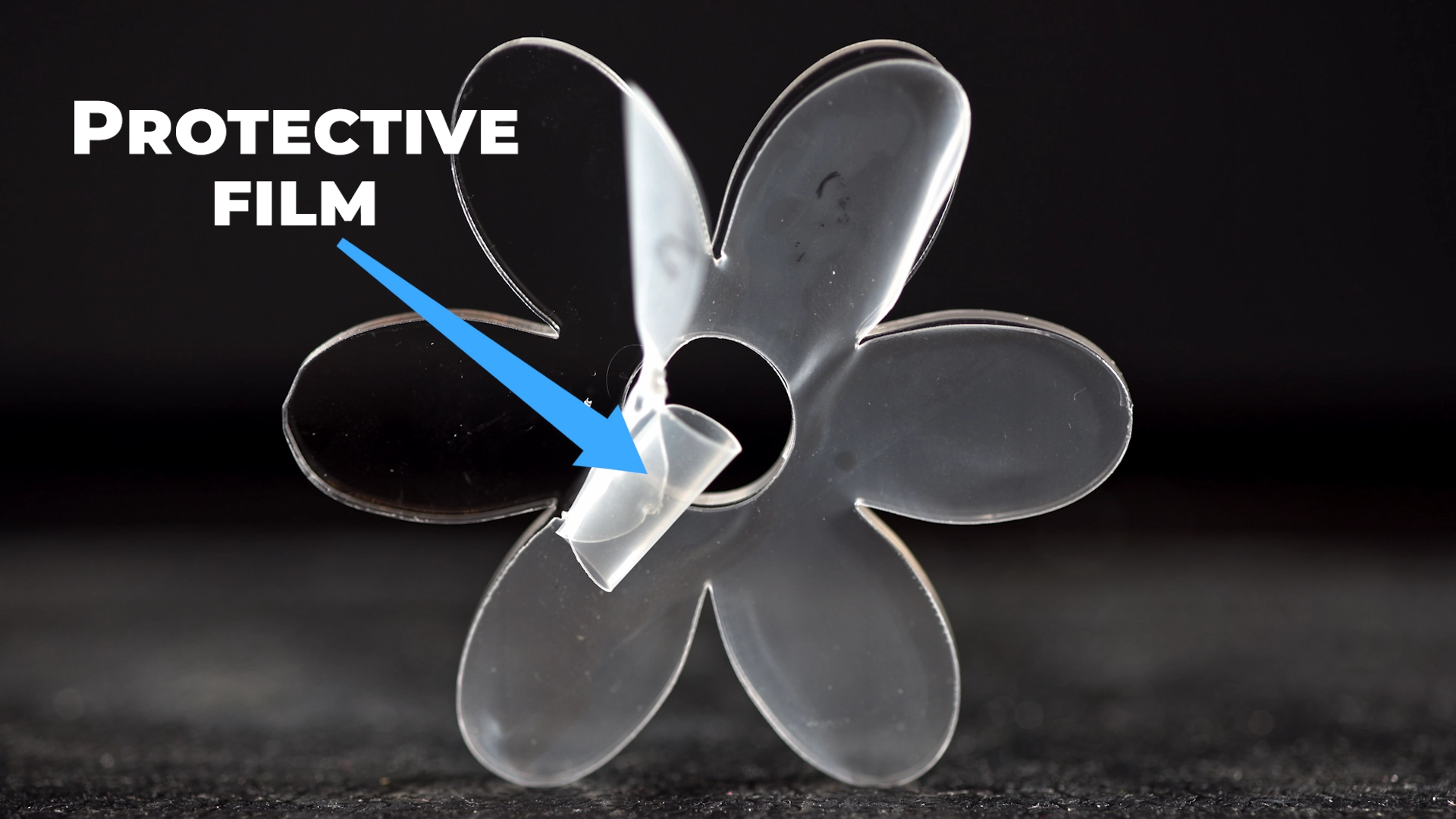
REMOVING PROTECTIVE FILM TOO EARLY

The Problem

Cutting without film.

 What Happens

  • smoke marks
  • scratches

The Fix

  • Protective film is not packaging — it’s part of your process.

KEY INSIGHT

The way your laser starts a cut can be more visible than the cut itself.

MISTAKE 8:
INCORRECT FOCUS HEIGHT

The Problem

Out-of-focus beam.

 What Happens

  • wider kerf
  • poor edge

The Fix

  • Always check focus.

MISTAKE 10:
NOT TESTING BEFORE PRODUCTION

The Problem

Skipping test cuts.

The Fix

  • Always test.

MISTAKE 11:
USING THE WRONG MACHINE

The Problem

Using diode lasers.

The Fix

MISTAKE 12:
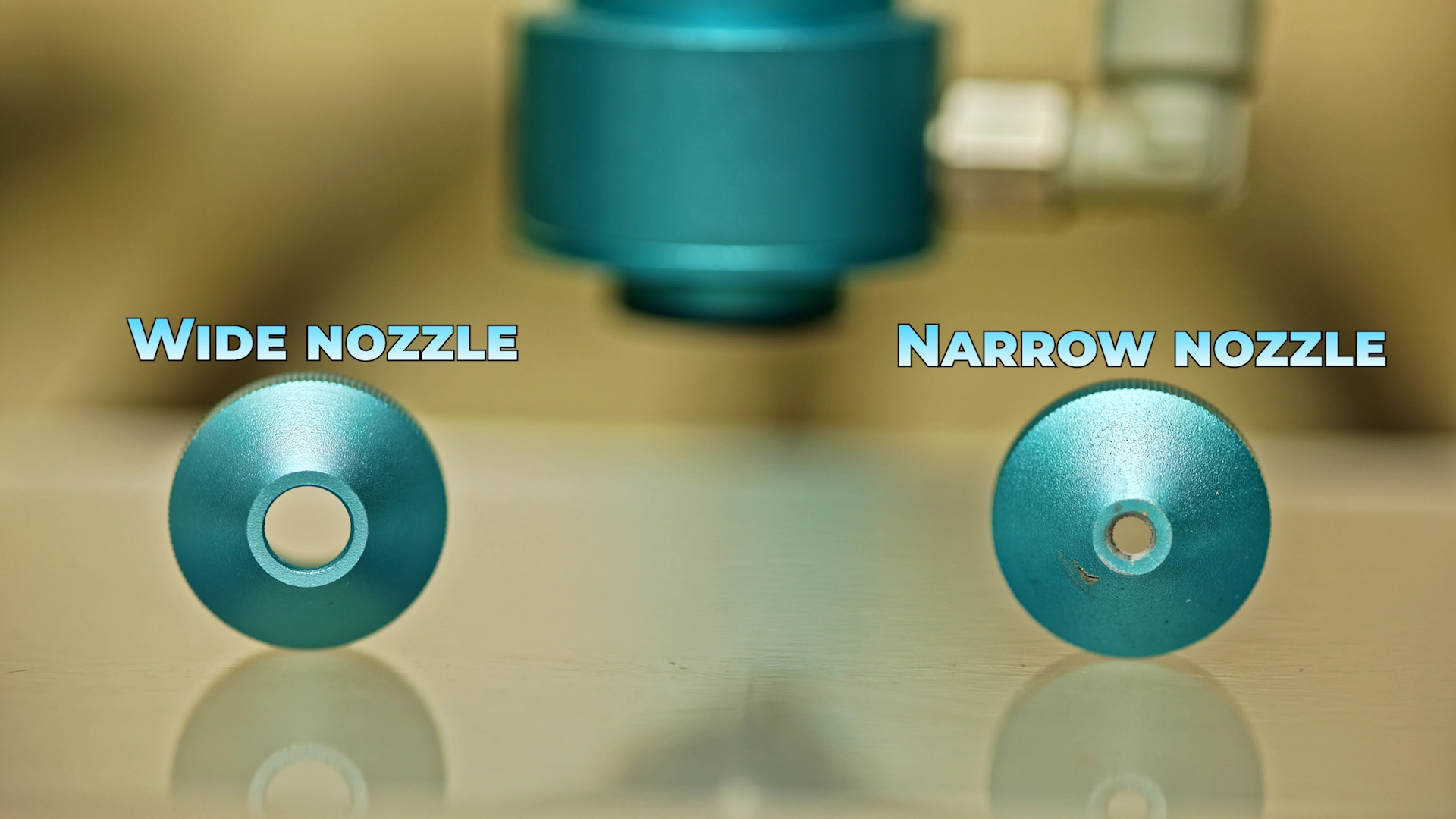
IGNORING NOZZLE DESIGN (WIDE VS NARROW AIRFLOW)

The Problem

Not understanding nozzle behaviour.

 What Happens

Narrow nozzle:

  • strong airflow
  • smudging

Wide nozzle:

  • softer airflow
  • cleaner edges

The Fix

  • reduce airflow
  • avoid aggressive nozzle pressure

KEY INSIGHT

Nozzle design controls airflow — and airflow controls edge quality.

Nozzle setup for smooth laser cut acrylic edges

Why Combining Acrylic and MDF Creates Premium Products

Many successful laser-cut products combine MDF and acrylic. MDF provides structure and affordability. Acrylic adds a polished, premium finish that helps products stand out. Together, they create depth, contrast, and a professional appearance that neither material achieves alone.
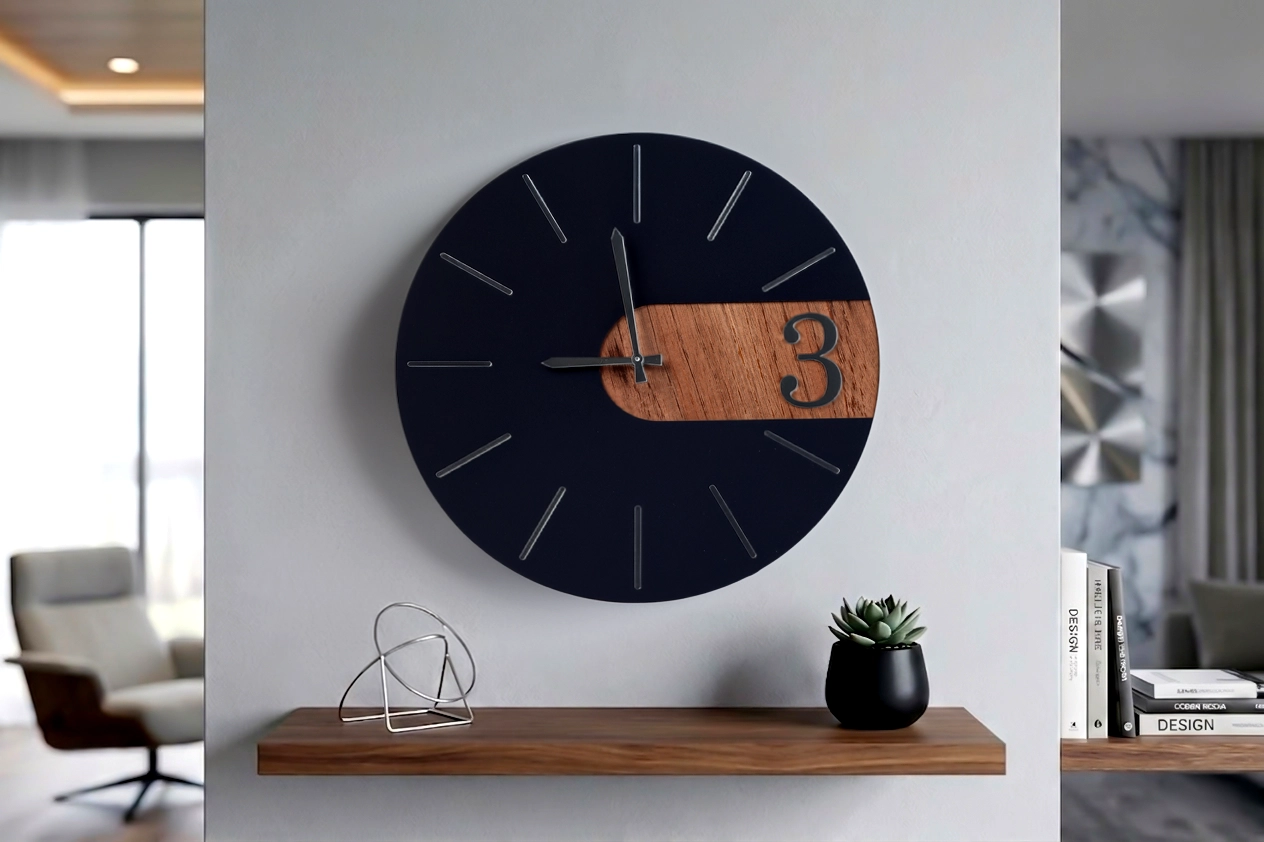
Why Combining Acrylic and MDF Creates Premium Products

When MDF Is the Better Choice

When Acrylic Is the Better Choice

Warm natural texture

Glossy premium finish

Lower material cost

Professional appearance

Strong structural backing

Clean polished edges

Easy layering base

High-end branding look

Paintable surface

Modern retail feels

Laser Cutting MDF Guide

Frequently Asked Questions About Laser Cutting Acrylic

Can You Laser Cut Acrylic?

CO2 laser cutting clear acrylic sheet

Yes — acrylic is one of the best materials for laser cutting, but only when using the correct type of laser.

Acrylic requires a CO₂ laser machine to cut properly.

CO₂ lasers operate at a wavelength that acrylic absorbs effectively, allowing the material to melt and vaporise cleanly, which creates the signature polished edge.

Other types of lasers, such as diode or fiber lasers, are not suitable for cutting clear acrylic.

  • Diode lasers often pass straight through clear acrylic
  • Fiber lasers are designed for metal, not plastics

A CO2 laser machine is the correct choice for cutting acrylic professionally. CO2 lasers operate at a wavelength that acrylic absorbs efficiently, which allows the machine to cut cleanly, produce polished edges, and complete most jobs in a single pass.

Diode lasers are not suitable for cutting clear acrylic. Fiber lasers are designed for metal and are not appropriate for acrylic work.

For businesses cutting signage, retail displays, awards, or premium products, a CO2 laser in the 60W to 130W range covers most acrylic thicknesses. The right wattage depends on the thickness you want to cut and your required production speed.

View CO2 Laser Machines

Yes, some diode lasers can cut certain types of acrylic, but they are far more limited compared to CO2 laser machines. Most standard blue diode lasers struggle to cut clear acrylic because the laser beam passes through the material instead of being absorbed effectively.

Diode lasers can sometimes cut dark or opaque acrylic sheets, usually at thinner thicknesses and slower speeds. However, the edge quality, cutting speed, and material compatibility are generally not suitable for high-volume production or premium commercial products.

For clean polished edges, thicker materials, faster production, and reliable acrylic processing, CO2 laser machines are considered the industry standard. Machines like the Thunder Laser Nova series are designed specifically for professional acrylic cutting and engraving applications.

A CO₂ laser’s required power depends on the acrylic thickness, cutting speed, and edge quality you want.

As a general guide:

  • 40W CO₂ laser: up to approximately 6mm acrylic
  • 60W CO₂ laser: up to approximately 8mm acrylic
  • 80W CO₂ laser: up to approximately 12mm acrylic
  • 100W CO₂ laser: up to approximately 16mm acrylic
  • 130W CO₂ laser: up to approximately 20mm acrylic

Higher wattage machines can cut thicker acrylic and can also cut thinner acrylic faster, making them better for production environments. Actual results depend on the acrylic type, lens, focus height, air assist, machine condition, and desired edge quality.

Smooth polished acrylic edges are typically achieved by using cast acrylic, correct focus height, balanced speed and power settings, and controlled airflow. Too much air assist or excessive speed can create frosted or rough edges. CO2 laser machines like the Thunder Laser Nova series are designed to produce clean flame-polished acrylic edges.

Settings vary depending on thickness and machine power, but generally:

  • Use high speed and moderate power
  • Avoid cutting too slowly
  • Maintain correct focus height

Always test on offcuts before production.

Yes, fumes produced during laser cutting acrylic should not be inhaled directly and proper ventilation is strongly recommended. When acrylic is laser cut, the material melts and releases fumes and particles into the air.

Professional CO₂ laser machines are typically used with:

  • extraction systems,
  • inline exhaust fans,
  • filtration systems,
  • or external ventilation setups

to help remove fumes from the working environment.

Proper ventilation helps:

  • improve operator safety,
  • reduce odours,
  • keep optics cleaner,
  • and maintain a better production environment.

It is also important to use laser-safe materials, as some plastics can release far more hazardous fumes than standard acrylic.

For commercial acrylic cutting, cast acrylic is usually the best choice. It cuts with a clean polished edge and engraves with a frosted white finish, making it ideal for signage, awards, displays, and branded products.

Extruded acrylic can still be used for cutting jobs, but it is less consistent when engraved and may react differently to heat. If the final product needs a premium finish, test the material first or choose cast acrylic.

For many acrylic applications, especially clear and glossy acrylic, a popular workflow is to cut the acrylic first with the protective film still attached, then peel the film off before engraving.

This method can help:

  • reduce smoke residue during cutting,
  • protect the surface from scratches,
  • keep the acrylic cleaner,
  • and improve engraving clarity afterwards.

Many operators find this approach produces a cleaner and more professional final finish, particularly for signage, branding products, and premium acrylic applications. As with most laser settings and workflows, testing on sample pieces is always recommended for the best results.

Ready to Cut Acrylic Like a Professional?

The difference between average results and production-ready acrylic comes down to the machine you use and how you set it up.

MaxLaser helps you choose the right CO2 laser machine for your acrylic thickness, product size, production volume, and business goals. We offer hands-on demos, real acrylic test cuts, and local support from day one.

View Laser Machines Book a Live Demo